



Stock that matches the shelf
Odoo warehouse levels push to Shopify in real time, mapped across locations.
 Live Odoo Connector
Custom engineering · By request
The enterprise-grade bridge between your storefront and your ERP. Engineered for high-volume merchants, our custom connector ensures your data is automated, accurate, and always in sync.

 Live Odoo Connector
Why merchants install it
Odoo warehouse levels push to Shopify in real time, mapped across locations.

Shopify orders become Odoo sales orders, and tracking numbers flow back when you fulfil.

Customers, tags and purchase history stay in sync for support and marketing.
How it works
A short call to understand your Odoo version, warehouses and order flow.
We map products, units of measure, variants and fields, then install the connector.
Stock, orders and customers sync in real time, and we stay on hand for support.
01Inventory
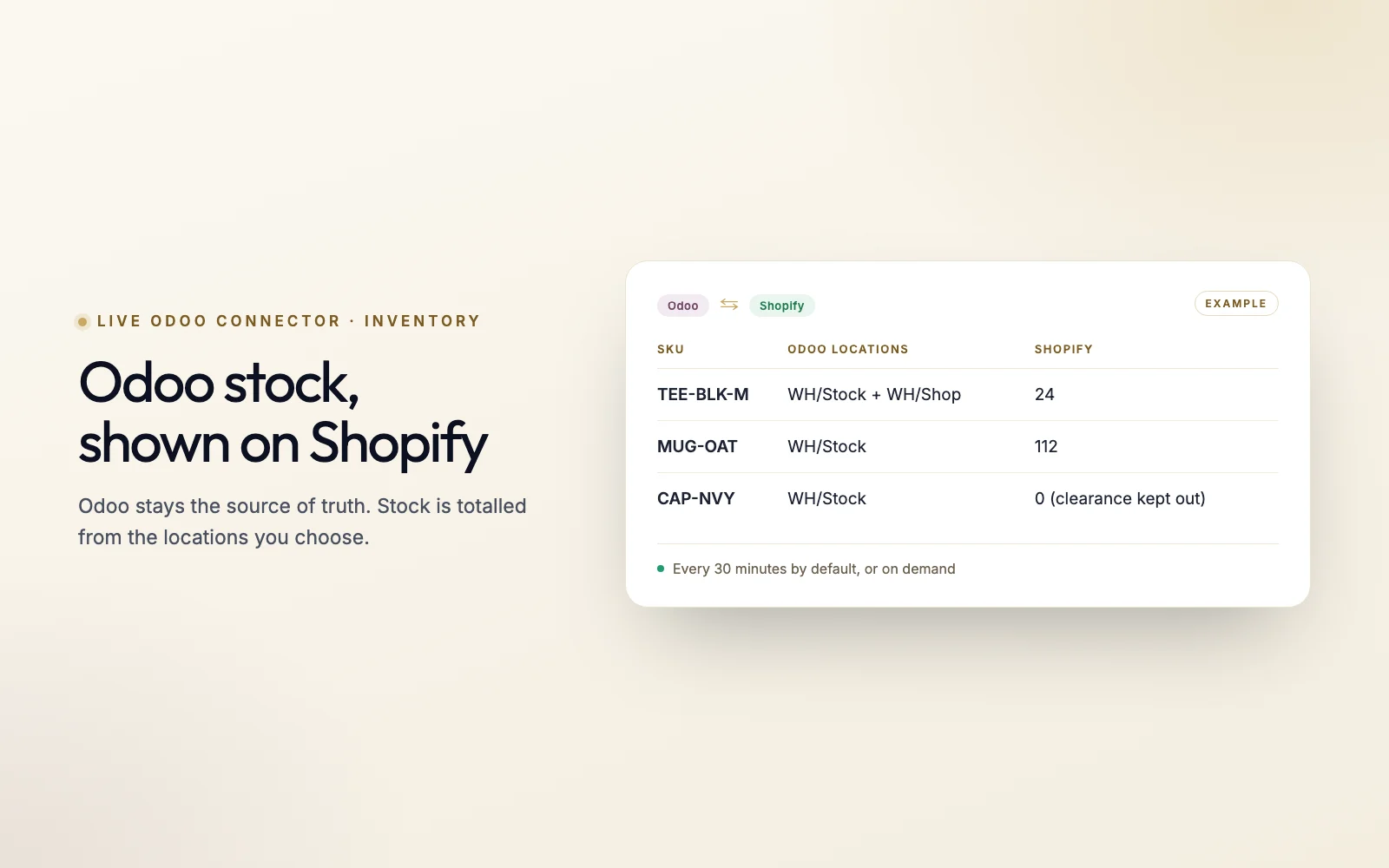
Manual data entry is the biggest bottleneck for growing brands. We automate the entire path from checkout to fulfillment, starting with stock: Odoo stays the source of truth, and Shopify shows what is really on the shelf.
02Orders
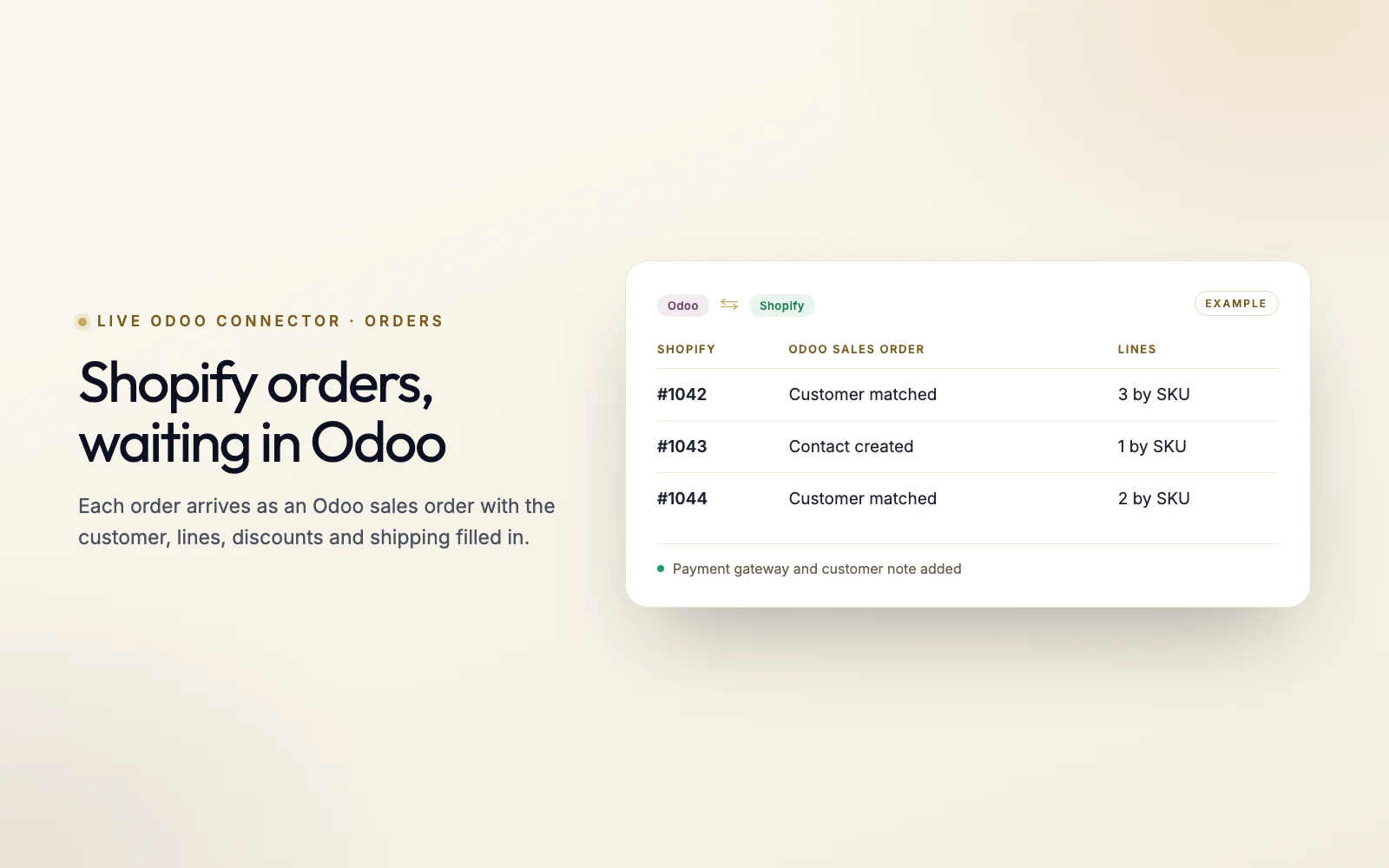
Orders are captured the moment Shopify sends them and arrive in Odoo as sales orders, with the customer, lines, discounts and shipping already filled in. No more re-typing data or searching through email attachments.
03Fulfillment
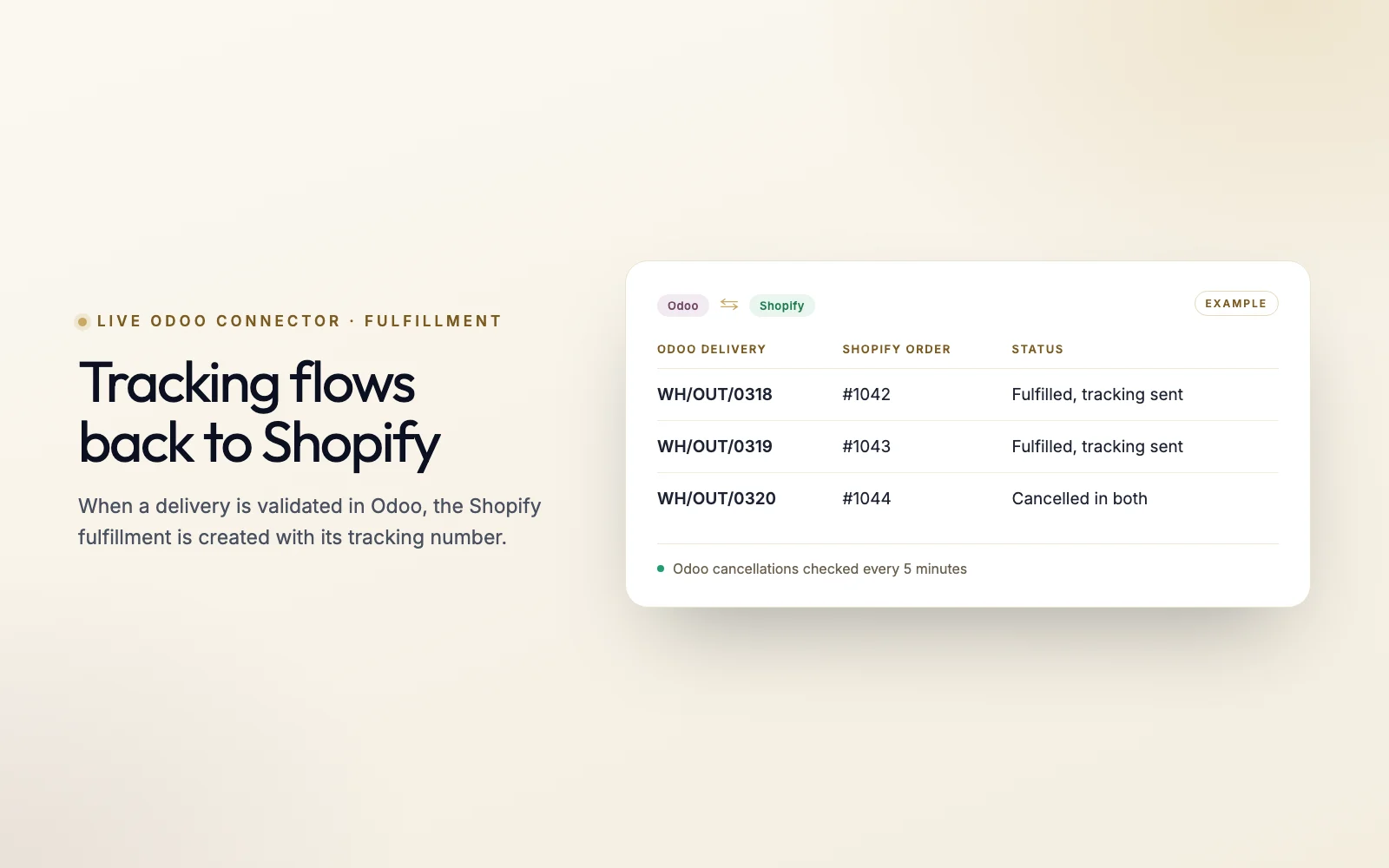
When your warehouse validates a delivery in Odoo, the connector creates the Shopify fulfillment with its tracking number, so customers get their shipping email without anyone copying numbers across. Cancellations stay matched in both directions.
04Returns
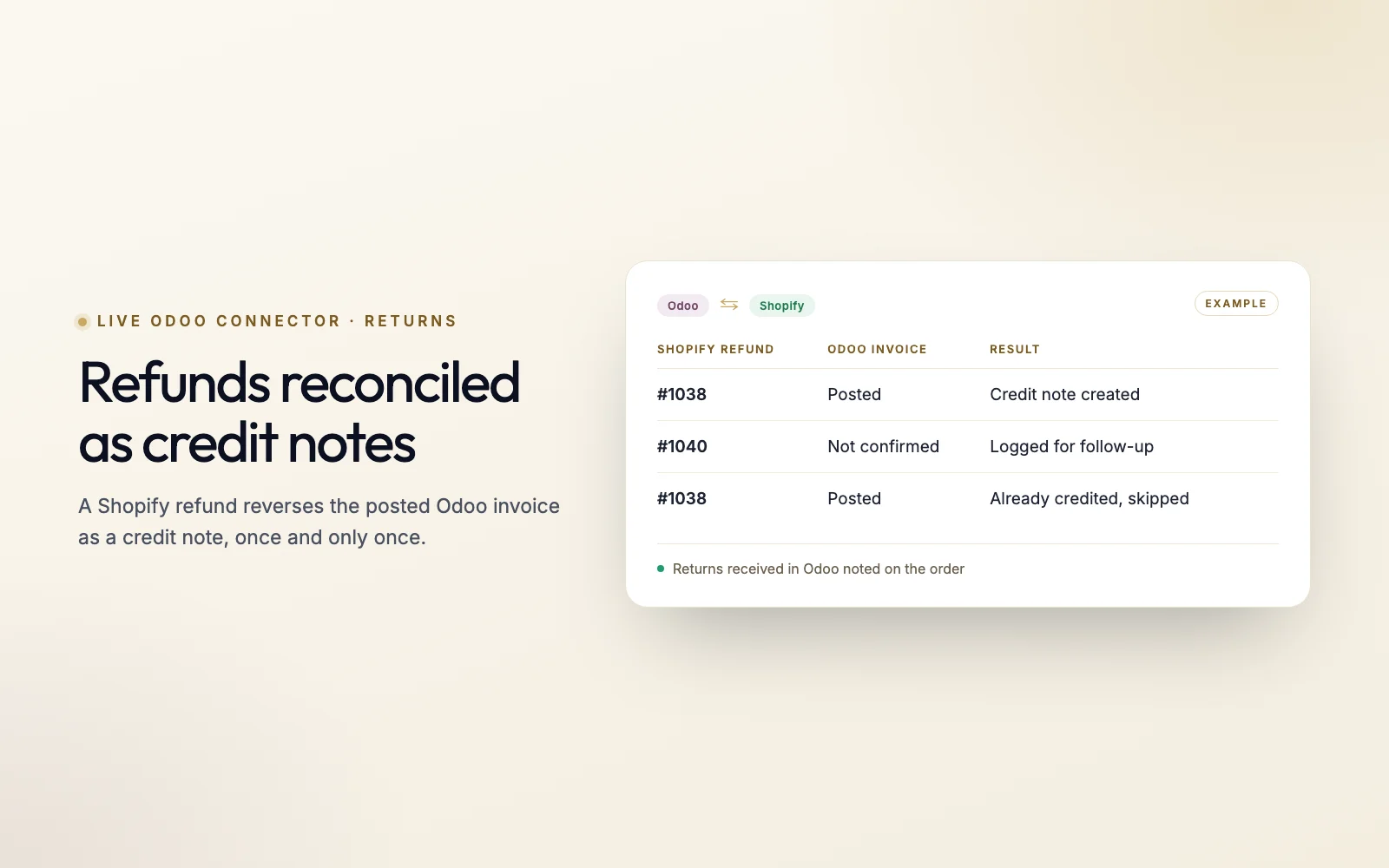
A refund in Shopify reverses the confirmed Odoo invoice as a credit note, and when the returned goods are received into your Odoo warehouse, the Shopify order is noted, so your accounts and your customer service team both see the return.
05Customers
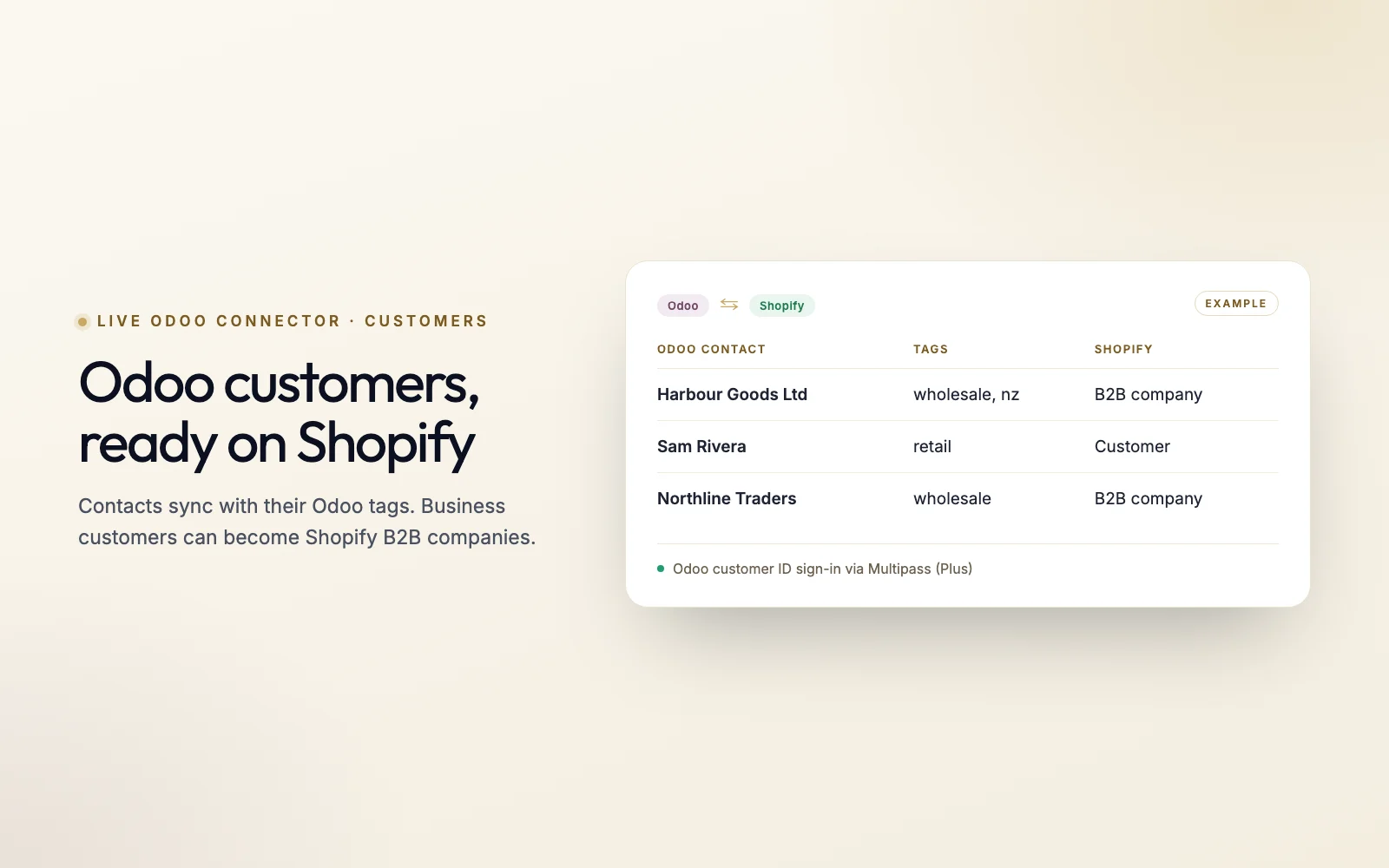
Customer records created in Odoo appear in Shopify automatically, with their Odoo tags, and business customers can be set up as Shopify B2B companies. On Shopify Plus, B2B buyers can sign in with their Odoo customer ID and a password they set.
How it works
Our connector is engineered so every order reaches Odoo exactly once: queued the moment it arrives, retried if either system is unavailable, and never duplicated.
Orders placed on Shopify are captured instantly via signed webhooks, checked against Shopify's HMAC signature, and stored in our Redis request queue. A scheduled poll picks up any order whose webhook never arrived.
Our middleware applies your business rules: it matches the customer to their Odoo contact, maps every line to an Odoo product by SKU, and carries across units of measure, discounts, shipping and the customer's salesperson.
Data is injected into Odoo via its XML-RPC API, creating Sales Orders and Customer records automatically. Stock, tracking and cancellations then flow back to Shopify on their own schedules.
Features
Our connector provides the granular control required by global distributors and industrial manufacturers.
Control exactly how products, variants, and customer tags sync between systems. Odoo units of measure become pack and single-unit variants, and Odoo fields such as vendor code, pack size and original retail price are written to Shopify metafields to drive storefront logic without manual intervention.
Shopify prices follow Odoo. Each product's Odoo sales price and cost are written to its Shopify variant, and single-unit variants are priced from the pack ratio. Pricing from Odoo price lists is not part of the standard connector; ask us if your setup needs it.
Monitor your data flow in real-time. The dashboard shows live sync logs, a health status for every sync, queue counts, and whether Shopify, Odoo and the workers are up, refreshed every 30 seconds.
Our team receives a daily plain-English health report on your connection, summarising the last 24 hours of syncs, failures and queue activity, and you get an alert email when Odoo and Shopify stock drift apart.
Optional: sell dated clearance stock as separate discounted products in a Clearance collection, priced on a sliding scale as the best-before date nears, and held back entirely once it is close to expiry.
A health monitor re-runs any sync that falls behind, webhooks are checked and re-registered automatically, and failed orders are retried on a schedule before anyone is alerted.
Technical Edge
The Live Odoo Connector is a hosted service run by Tripster Developers. It talks to Shopify through signed webhooks and the Admin API, and to Odoo through its standard external API.
Checked in the Live Odoo Connector code, September 2026
Pricing
A custom, white-glove implementation rather than an App Store subscription. Pricing is based on transaction volume and mapping complexity: a one-off implementation, then monthly monitoring.
Custom Quote
2-4 week implementation · UAT phase included
Monthly
From go-live · quoted with your implementation
Quoted per business. No App Store billing.
FAQ
Answers for enterprise architects and operational leads.
The connector talks to Odoo through its standard external XML-RPC API, which both Enterprise and Community provide, so there is no Odoo module to install. It runs in production today on Odoo 16 Enterprise, and we confirm your exact version during scoping. We specialize in complex Odoo.sh implementations and on-premise dedicated servers.
No. Due to the highly specific nature of ERP workflows, we provide this as a custom implementation. Each connection is configured for your store and your Odoo database and monitored by our team. Every processed order is logged, so a duplicate webhook never creates a second Odoo order, and an order that fails is retried rather than dropped.
We choose which Odoo warehouse locations count toward the stock your Shopify store shows, and exclude the ones that should not, such as clearance or damaged stock. The connector totals those locations for each SKU and sets the quantity on your Shopify location. Which warehouse ships an order is decided by Odoo's own delivery rules.
Standard implementations typically take 2-4 weeks, including a rigorous UAT (User Acceptance Testing) phase on a sandbox environment before going live.
Miko Apps
Custom implementation · 2-4 week setup · UAT on a sandbox before go-live
The Miko Suite
Every Miko app is built to compound with the others: one customer brain, one checkout, one support team.
 Miko Loyalty & RewardsPoints, VIP tiers and referrals that bring shoppers back.→
 Miko B2B Wholesale PricingWholesale prices by customer tag, NET terms and POs.→
 Miko AI: Retention & EmailPredict churn, segment customers and send AI email campaigns.→
 AI Descriptions & NarrateBulk SEO copy in your voice, plus a Listen button.→
 Miko Product RentalsDate pickers, deposits and overbooking protection.→
 Miko Subscribe & SaveSubscriptions and subscribe & save with a self-serve portal.→
 Miko Restock: Inventory & POKnow what to reorder, how much and when.→
 Miko Bulk Image ResizerResize, compress and watermark every product photo.→
 Authentica: COA CertificatesQR-verified Certificate of Authenticity for every order.→
 Miko AI Help Center & FAQHelp centre and FAQ pages written from your own store data.→
Not on Shopify yet?
Set up your store in minutes and try it with your own products. Loyalty, wholesale pricing, AI descriptions and the rest of the Miko apps install in one click once your store is live.