


Every image the right size
Resize product and collection images in bulk, with a real-time before and after.
 Miko Bulk Image Resizer
Live on App Store
Resize, compress and watermark the product and collection images already on your store, in place. You see a real before and after built from your own photos first, and every run can be undone for 30 days.
 Miko Bulk Image Resizer
Why merchants install it
Resize product and collection images in bulk, with a real-time before and after.
Bulk template alt text for product images, plus an audit report on your whole catalog.

Every original is backed up for 30 days, so any change can be rolled back.
How it works
Add the app from the Shopify App Store. The first 100 images are free.
See which product and collection images need work.
Preview before and after, then apply. Originals stay backed up for 30 days.
You see the real result on your own photos before a single image changes, and every original is kept so you can put it back.
01Preview
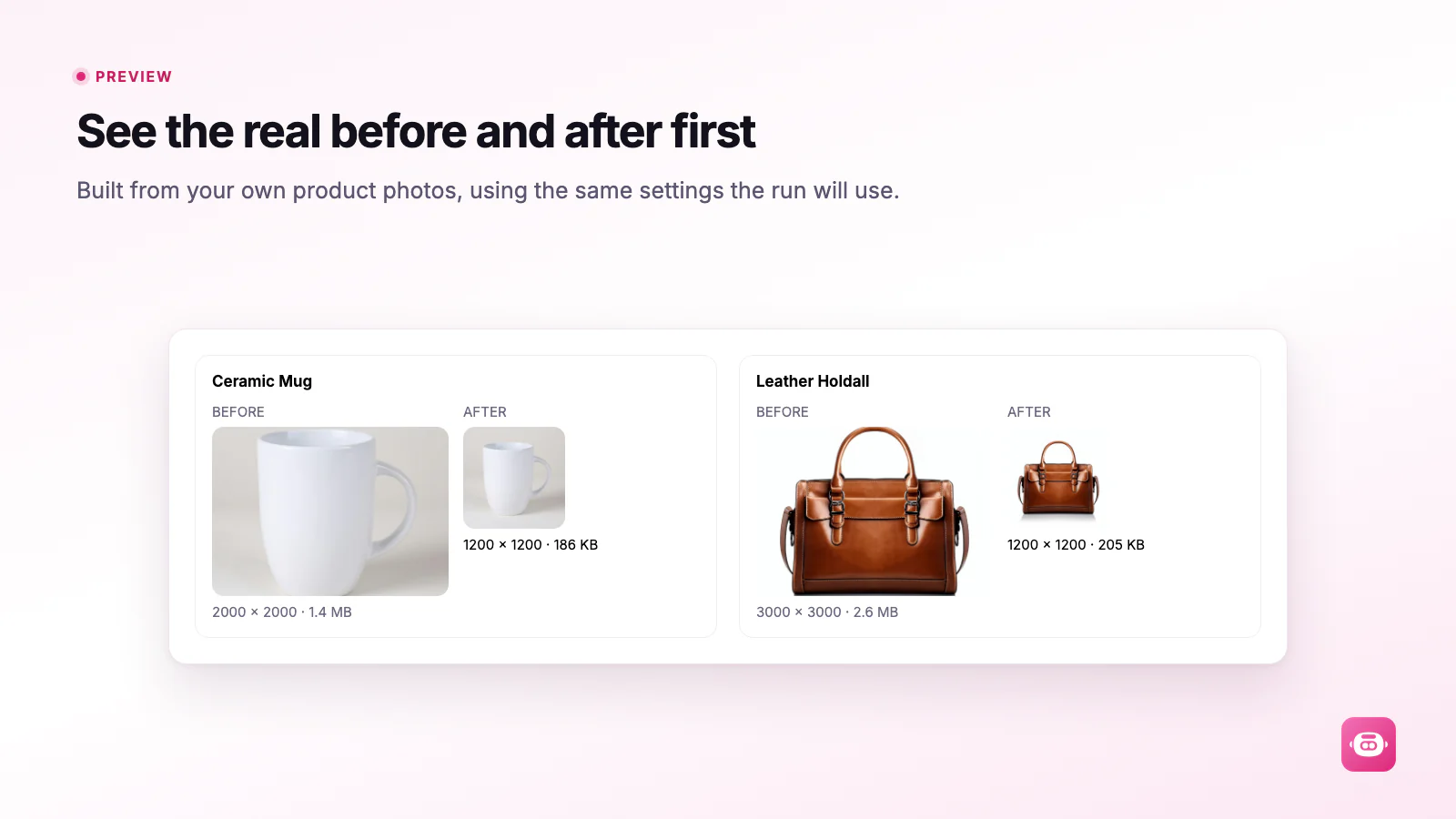
Miko runs a few of your own photos through the exact process the full run will use and shows both the picture and the numbers, measured on the full size result.
02Approve
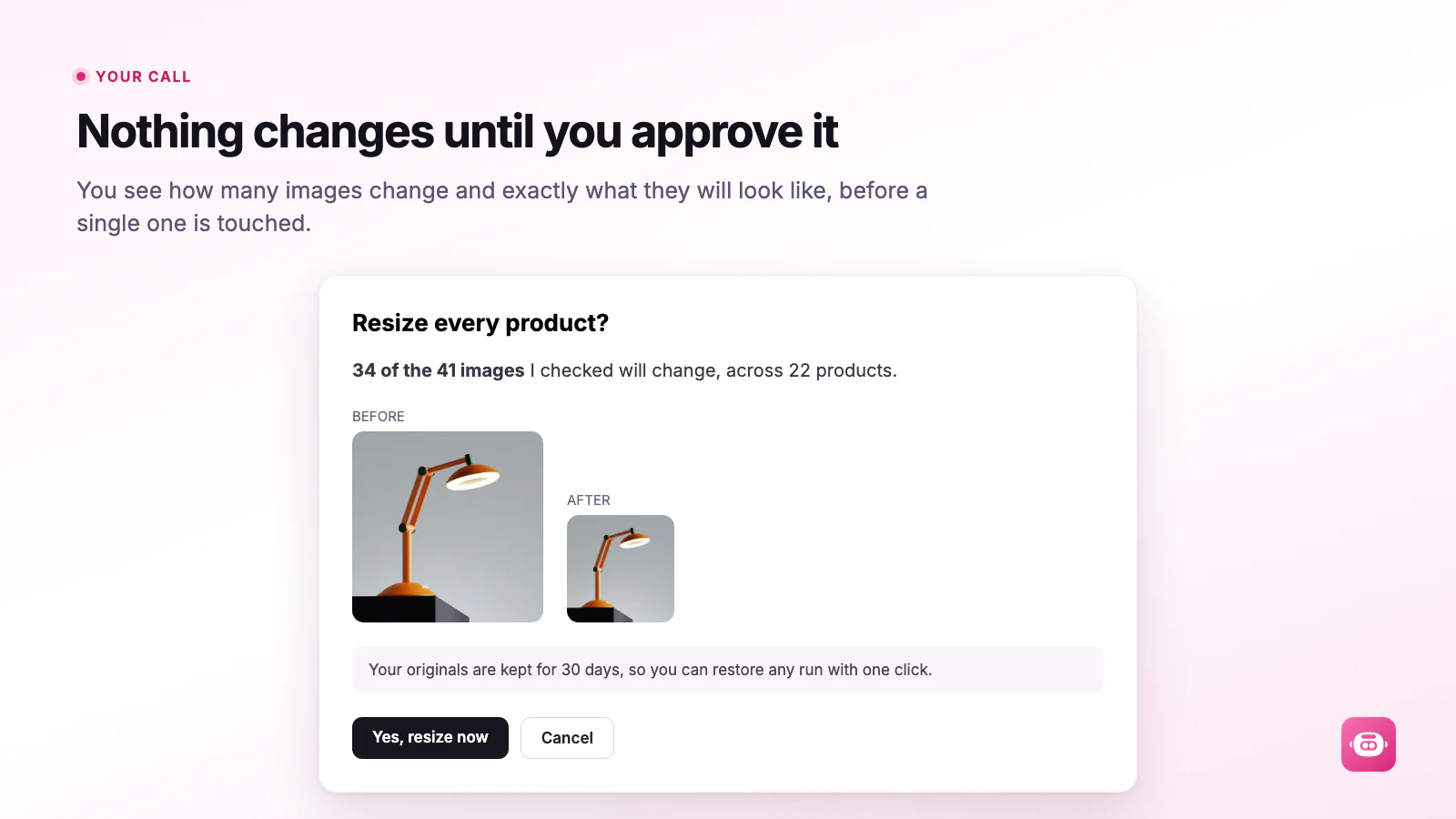
The whole catalog, products you pick by hand, one collection, or everything from a tag, vendor or product type. Start with five and check them on your storefront. Nothing is written until you press the button.
03Undo
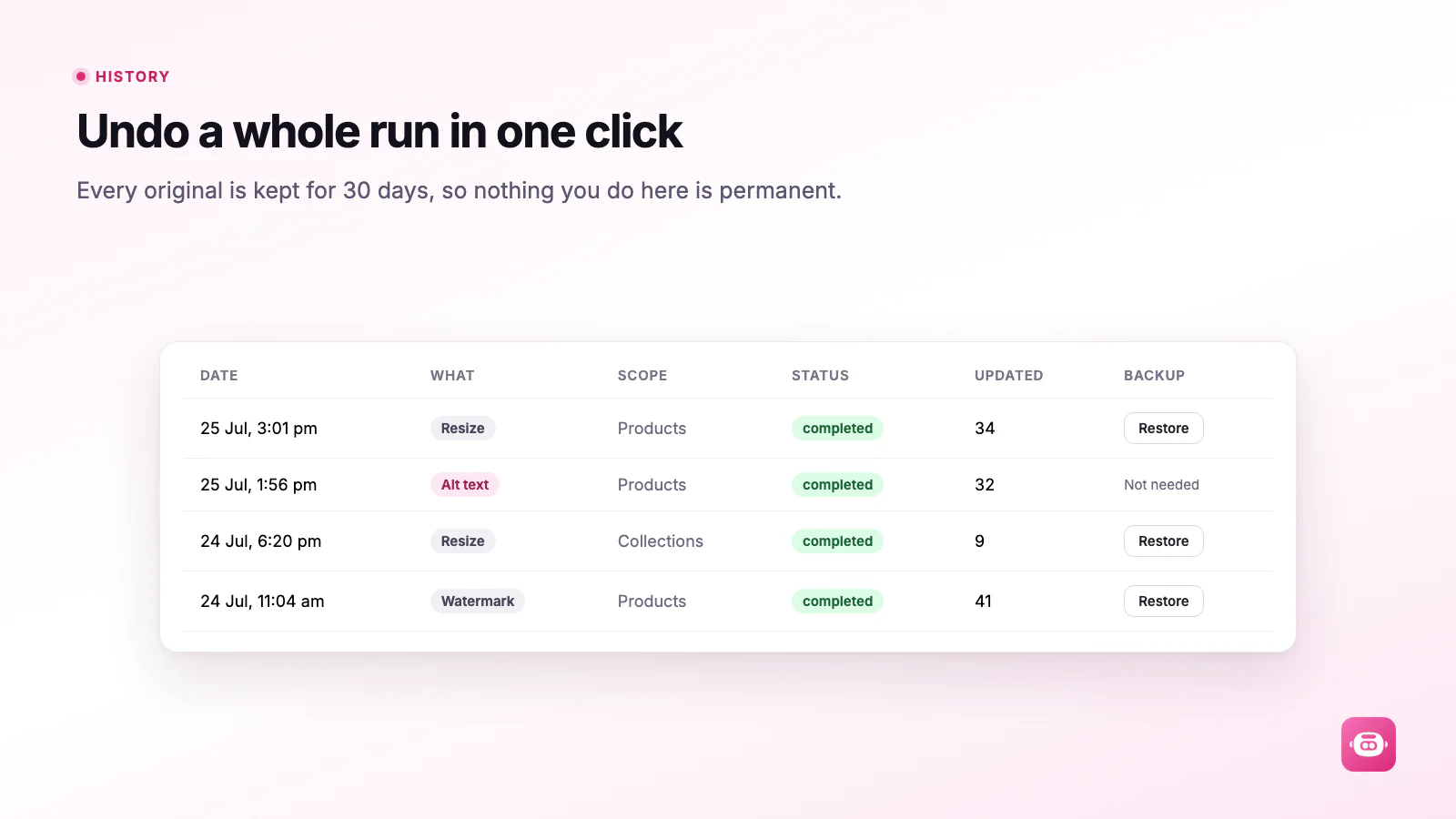
Every run is backed up. Restore the whole run in a click, or open it and put back the one image you are not happy with. History shows what can still be undone.
04Alt text
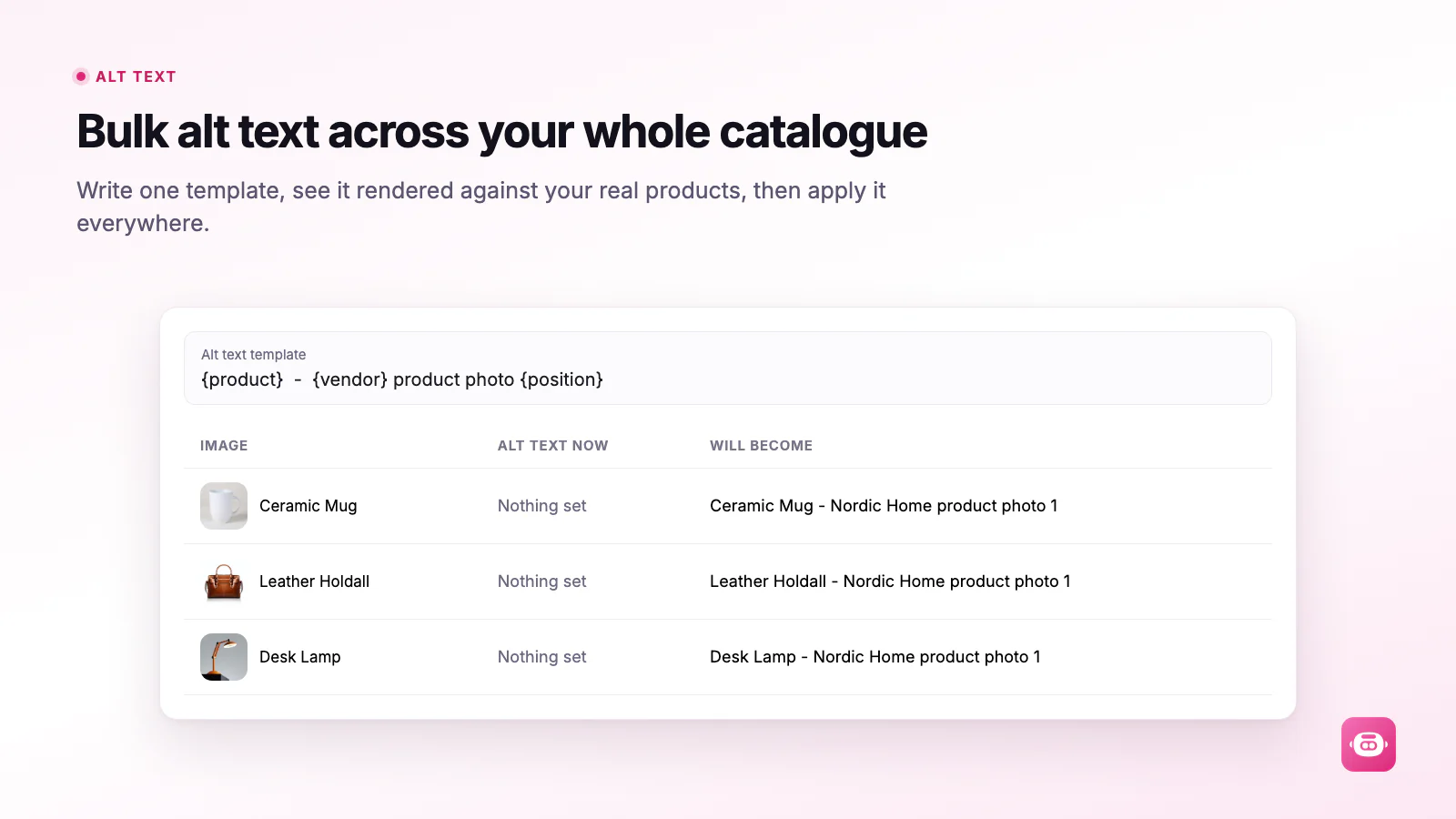
Write one sentence with tokens for the product, vendor, type, image number and store name. A live table shows the result on real products as you type. By default it fills only images with no alt text, so your own wording is left alone.
05Image Health
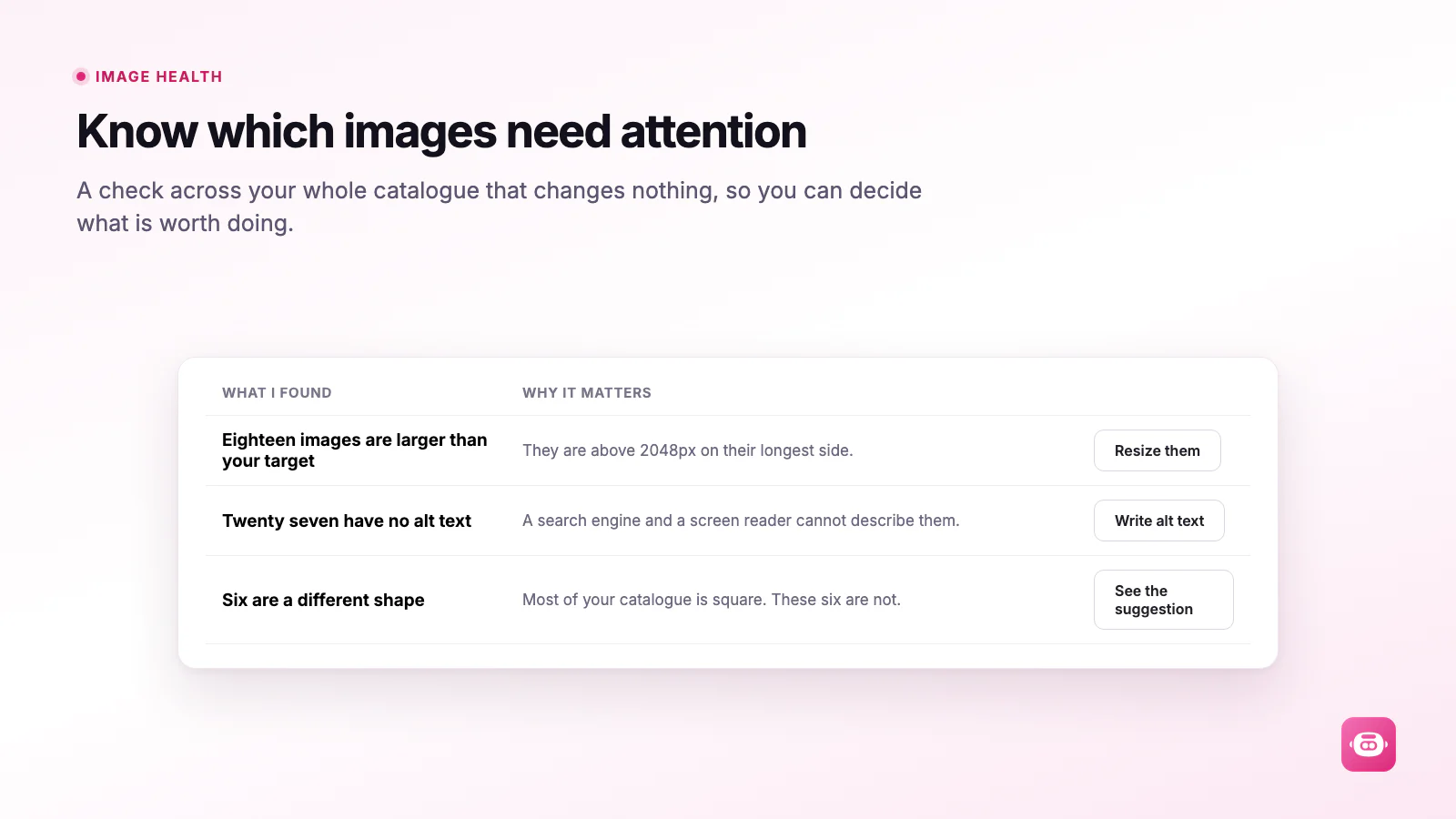
Images over your size target, images with no alt text, your largest files listed by name, and whether your grid is a mix of squares, portraits and landscapes. It is a read, not a change.
06Watermarks
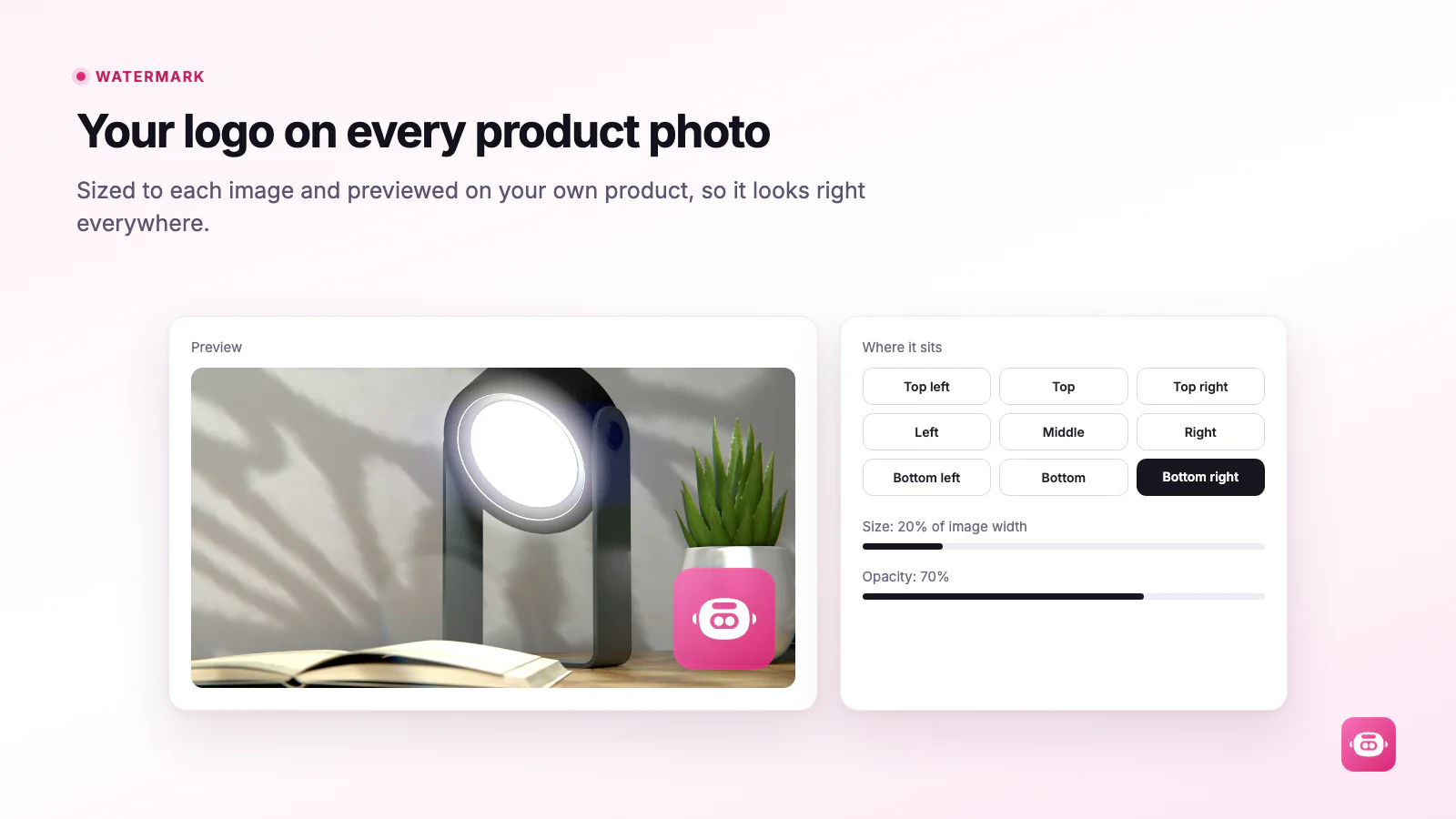
Upload your logo once. Choose one of nine positions, a size set as a share of the image width, an opacity and a margin. The preview stamps it onto one of your own photos as you move the sliders.
See it in action
The mode decides what happens to the picture. Everything else, quality, format and watermark, sits on top of it. Cap the longest side, hit an exact frame, scale by a percentage, squeeze to a target file size, or leave the size alone and only stamp a watermark.
On top of the mode you set a quality slider, an output format (keep the original, or convert everything to JPEG, WebP or AVIF), whether to strip camera and EXIF data, and whether to skip anything that already matches. If your settings would leave an image exactly as it is, Miko skips it and moves on, and a skipped image is never charged.
| Mode | What it does | Good for |
|---|---|---|
| Longest side | Caps the longer edge at the size you set and keeps the shape. It only ever makes an image smaller. | One safe rule across a mixed catalog |
| Width and height: fit inside | Targets a frame. The whole image sits inside the frame and keeps its own shape. Nothing is cut off, and images that already fit are left alone. | A tidy, even product grid |
| Width and height: crop to fill | The image fills the frame exactly, centered, and the edges that do not fit are trimmed. This one can enlarge a smaller photo, which is how every card in a grid ends up the same size. | Every card in the grid the same size |
| Width and height: pad to an exact size | The whole image is kept and the gaps are filled with a background color you choose. Nothing is cut off and every image ends up identical in size. | Identical sizes with nothing cut off |
| Scale by percentage | Scales every image between 5 and 400 percent. Above 100 percent it enlarges. | Shrinking everything by the same amount |
| Target file size | Steps the quality down until the file is under the size you name. If quality alone cannot get there, it also caps the longest side at 2,000 pixels. | Slow pages caused by heavy files |
| Watermark only | Stamps your logo and leaves the pixel size exactly as it is. | Branding photos you have already sized |
How it works
Nothing is written until you press the button, and the first thing the app suggests costs nothing at all.
A free read of your catalog. Oversized images, missing alt text, your largest files by name, and whether your photos are all the same shape. It changes nothing.
The whole catalog, hand-picked products, a collection, or a tag, vendor or product type. Pick your mode and settings, then see the result on your own photos with the before and after numbers and what the run will cost.
Runs happen on our servers, so close the tab and get on with your day. Progress waits for you on the dashboard, and History keeps the undo button for 30 days.
Features
Once the sizes are sorted, the same app handles the jobs that usually never get done because they take too long by hand.
No downloading, no re-uploading, no folder of files on your desktop. Miko replaces each image where it already lives, and it handles collection images too.
Keep your existing filenames, which is the default, or rebuild them from the product title and number them in order. A filename is a search decision, so Miko does not make it for you.
Run your saved settings weekly or monthly, and optionally tidy a new product's photos shortly after it is added. Both stop at your monthly spending limit.
When an image belongs to a variant, Miko points that variant at the resized version. The variant keeps its picture and the product page behaves exactly as before.
Technical Edge
Miko asks to read and write products. It never asks for customers or orders. Every image is processed on Miko's servers and written back to Shopify through its own product APIs, with nothing added to your theme.
Checked in the Miko Bulk Image Resizer code, September 2026
Pricing
There is no monthly fee. You set the ceiling, and the app stops at it. Charges are in US dollars and appear on your normal Shopify bill.
$0
Installing, plus your first 100 images
$0.02 USD
For each image actually resized
All charges are billed in USD. The 100 free images are a one-time allowance per store.
Built For
Most catalogs are a mix. Some photos came straight off a camera, some from a supplier, some from a phone. They are different sizes, different shapes, and heavier than a shop page needs. Miko puts them all on the same footing without you touching a single file.
FAQ
Straight answers on previews, undo, color and pricing.
Yes. Miko Bulk Image Resizer is live on the Shopify App Store at apps.shopify.com/miko-bulk-image-resizer. Installing costs nothing, the first 100 images are included, and the merchant guide walks through every screen.
No. Miko works on the images already on your store and replaces each one in place. That covers product images and collection images. Runs happen on our servers, so you can close the app and carry on.
Yes. Every original is kept for 30 days. Open History and restore the whole run, or open the run and restore a single image on its own. After 30 days the backup is removed and the run is marked as expired.
No. A skip means the image already matched your settings, so there was nothing to change. Skipped images are listed in the run so you can see which ones they were, and they are never charged.
No. Every image is written as standard sRGB with its color profile kept, which is what browsers expect. Photos supplied in a wide-gamut or print color space are converted properly rather than having their profile thrown away.
There is nothing to pay to install and your first 100 images are included. After that it is $0.02 USD for each image actually resized. You set a monthly spending limit and the app stops at it. Image Health, bulk alt text, previews and restores are never charged.
Miko Apps
The merchant guide walks through every mode, every setting and every screen. · First 100 images free · $0.02 per image after that
The Miko Suite
Every Miko app is built to compound with the others: one customer brain, one checkout, one support team.
 Miko Loyalty & RewardsPoints, VIP tiers and referrals that bring shoppers back.→
 Miko B2B Wholesale PricingWholesale prices by customer tag, NET terms and POs.→
 Miko Claude AIChurn prediction, RFM segments and AI win-backs.→
 AI Descriptions & NarrateBulk SEO copy in your voice, plus a Listen button.→
 Miko Product RentalsDate pickers, deposits and overbooking protection.→
 Miko Subscribe & SaveSubscriptions and subscribe & save with a self-serve portal.→
 Miko Restock: Inventory & POKnow what to reorder, how much and when.→
 Authentica: COA CertificatesQR-verified Certificate of Authenticity for every order.→
 Miko AI Help Center & FAQHelp centre and FAQ pages written from your own store data.→
 Live Odoo ConnectorReal-time two-way Shopify to Odoo ERP sync. Custom install.→
Not on Shopify yet?
Set up your store in minutes and try it with your own products. Loyalty, wholesale pricing, AI descriptions and the rest of the Miko apps install in one click once your store is live.