



Trade prices for every customer group
Percentage discounts per group from Free, then custom prices per product and variant from Growth.
 Miko B2B Wholesale Pricing
Live on App Store
Run retail and B2B channels simultaneously on a single Shopify store. Miko B2B automatically applies wholesale pricing for tagged customers across every touchpoint, product pages, cart, checkout, and POS, with zero coupon codes.
 Miko B2B Wholesale Pricing
Why merchants install it
Percentage discounts per group from Free, then custom prices per product and variant from Growth.
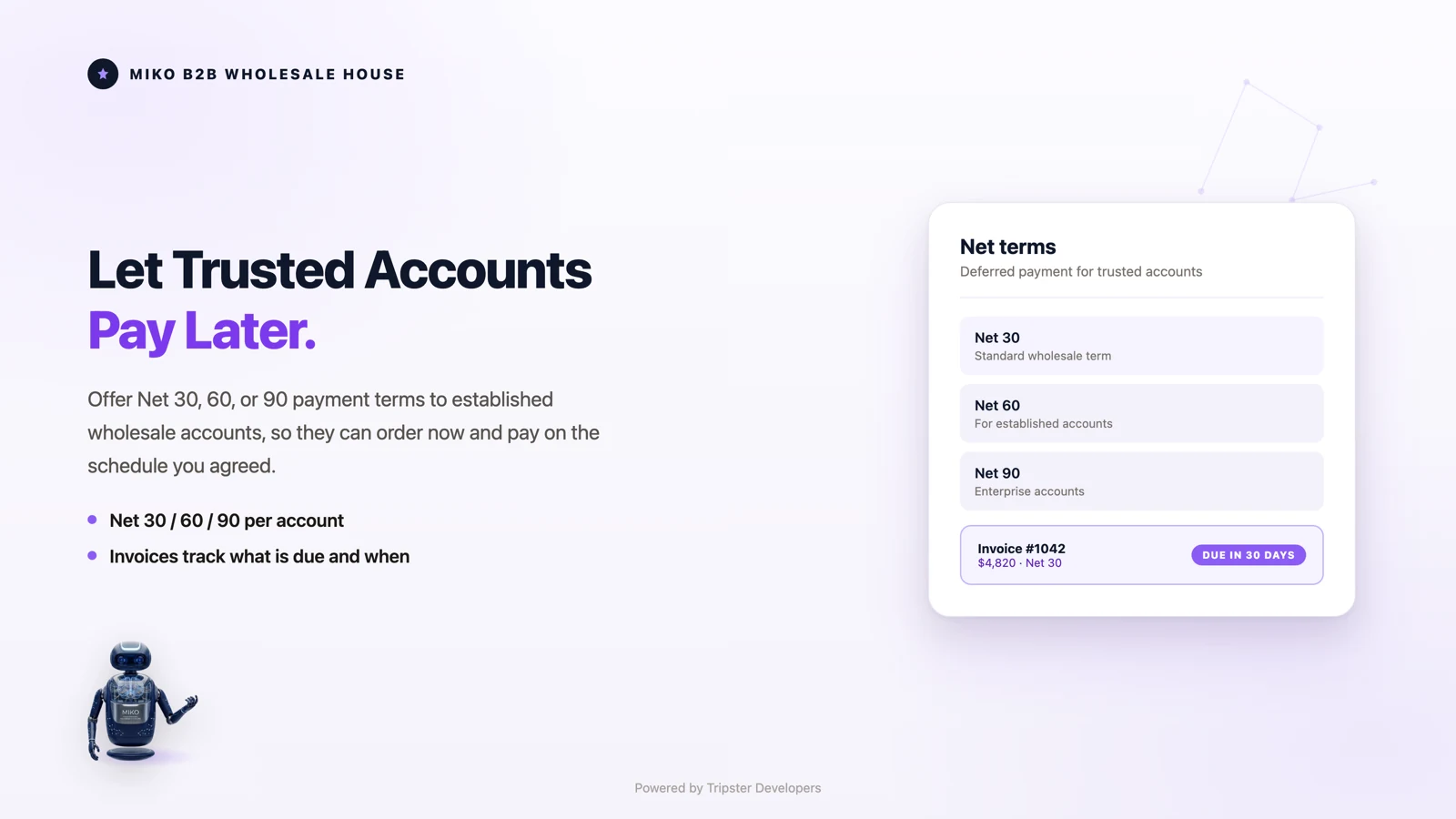
Offer NET 30, 45, 60 or 90 to approved groups at checkout on the Pro plan.

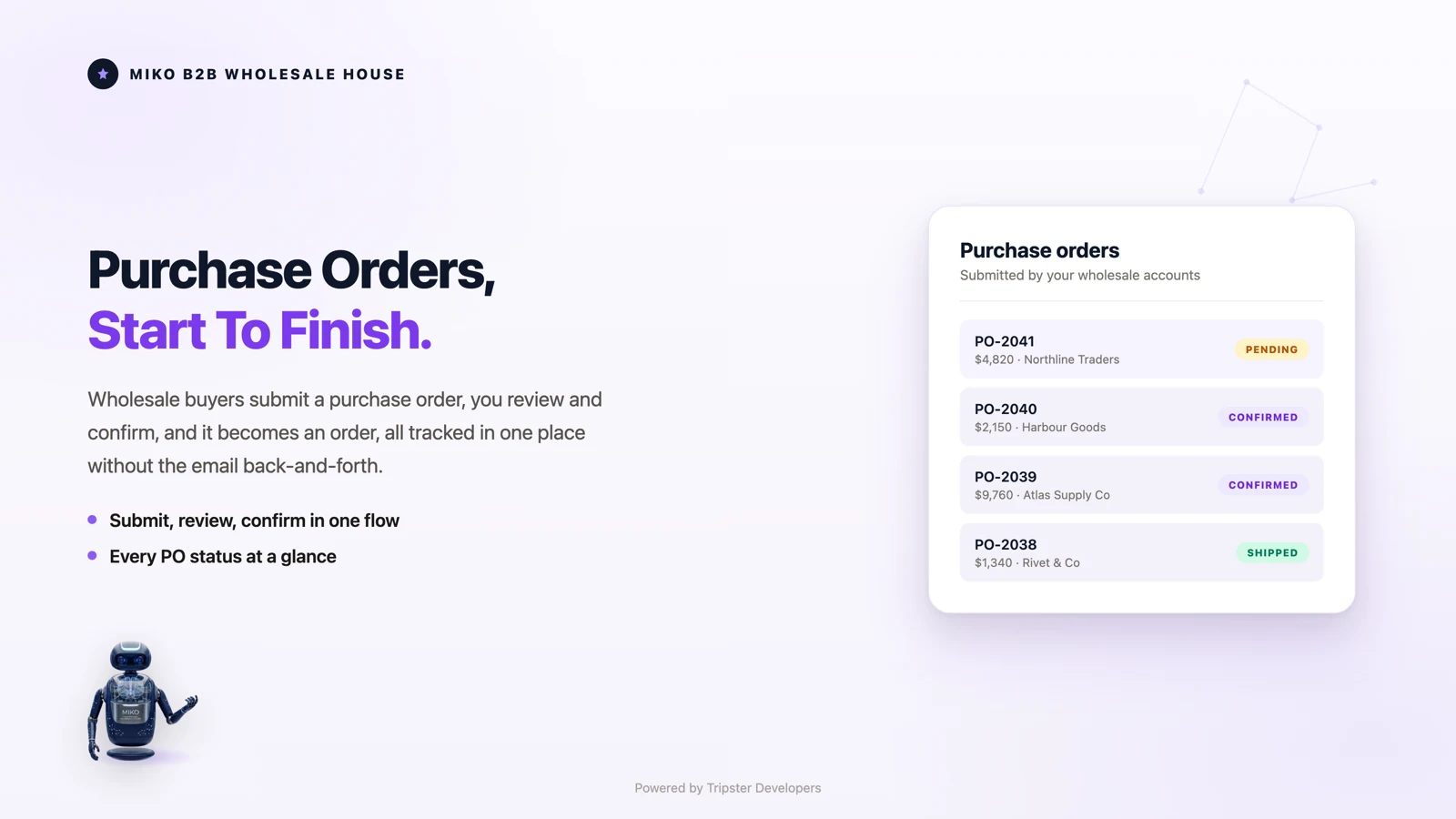
On Pro, buyers upload a PO in PDF, Excel or CSV and it becomes a draft order.
How it works
Add the app from the Shopify App Store. No Shopify Plus and no theme code.
Set up dealers, retailers or any trade segment and the prices each one pays.
Buyers in a group see their prices as soon as they log in.
01Customer groups
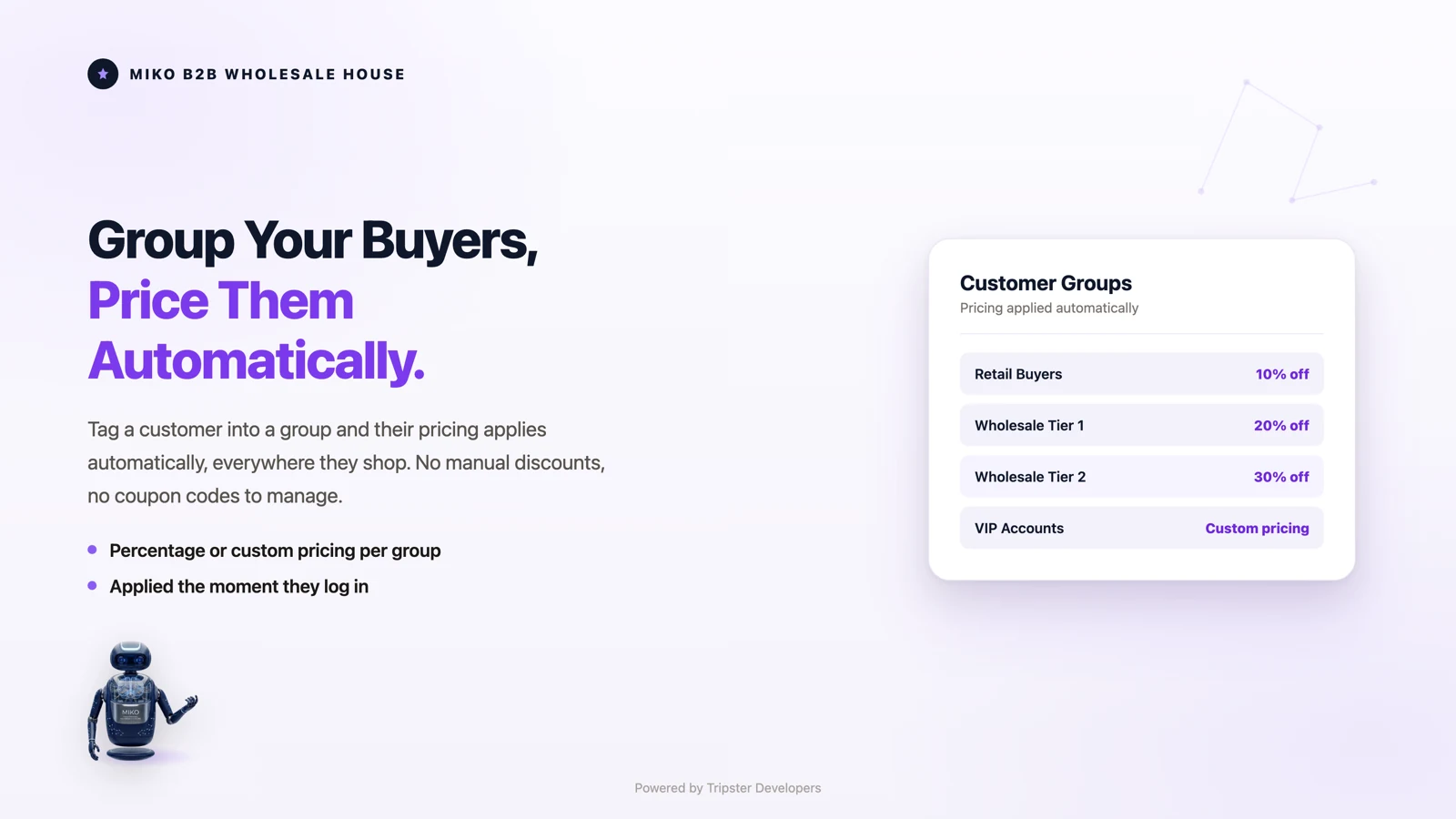
Create as many wholesale tiers as your business needs, Gold, Silver, Distributor, Reseller or staff. Tag a customer in Shopify and their group pricing applies everywhere instantly, on collection pages, product pages, the cart and the checkout. There are no discount codes to share and nothing for your buyer to remember. A wholesale dashboard then shows which groups are ordering, what they are spending, and which accounts have gone quiet; run it alongside Miko Claude AI and churn scores surface at-risk wholesale accounts before you lose them.
02Custom pricing
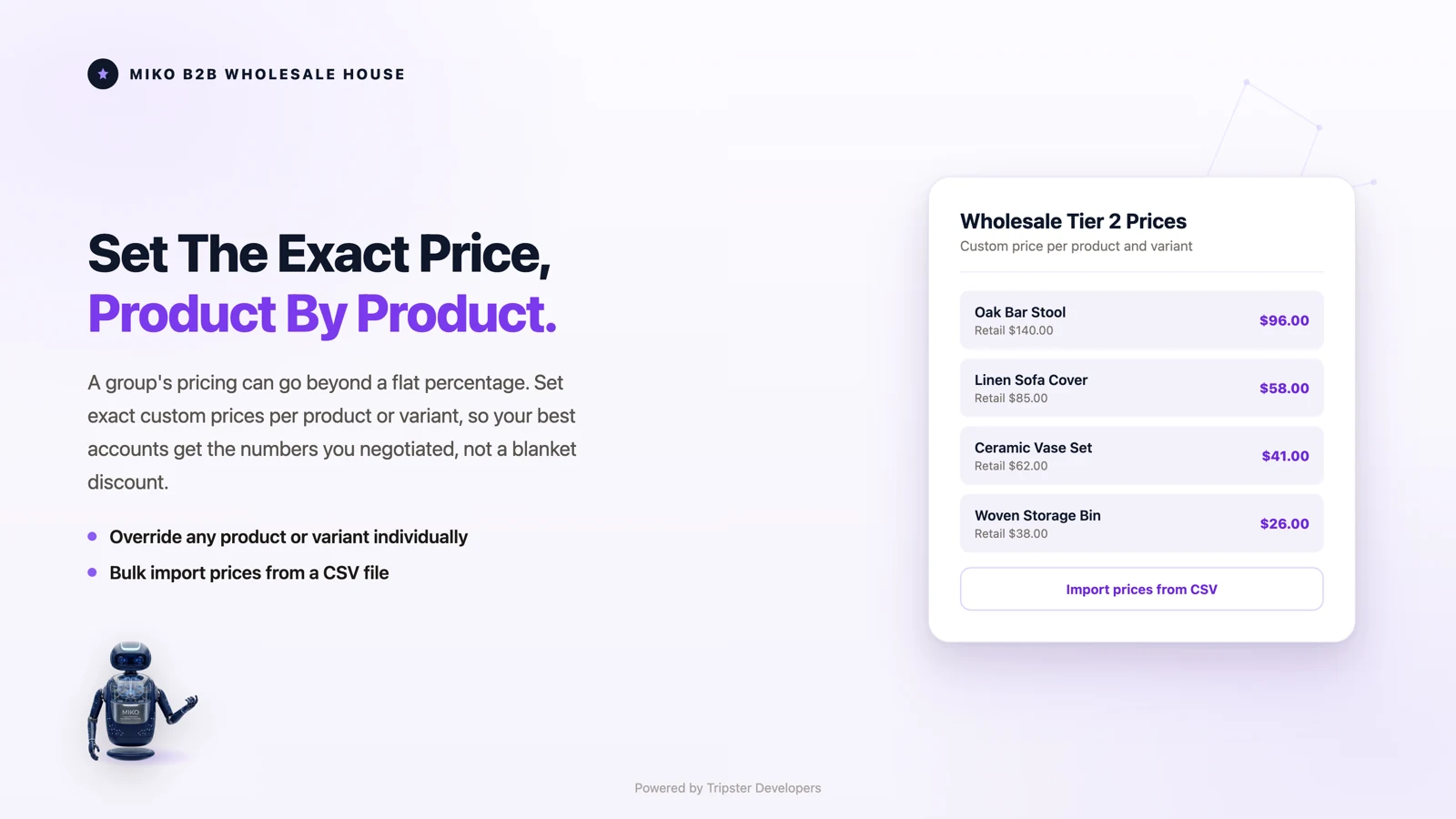
When a key account has individually negotiated rates, a percentage is not enough. Set an exact price per product or per variant for that group and it holds no matter how your retail price moves. Import a whole price book from a spreadsheet instead of editing rows one at a time.
03Discount campaigns
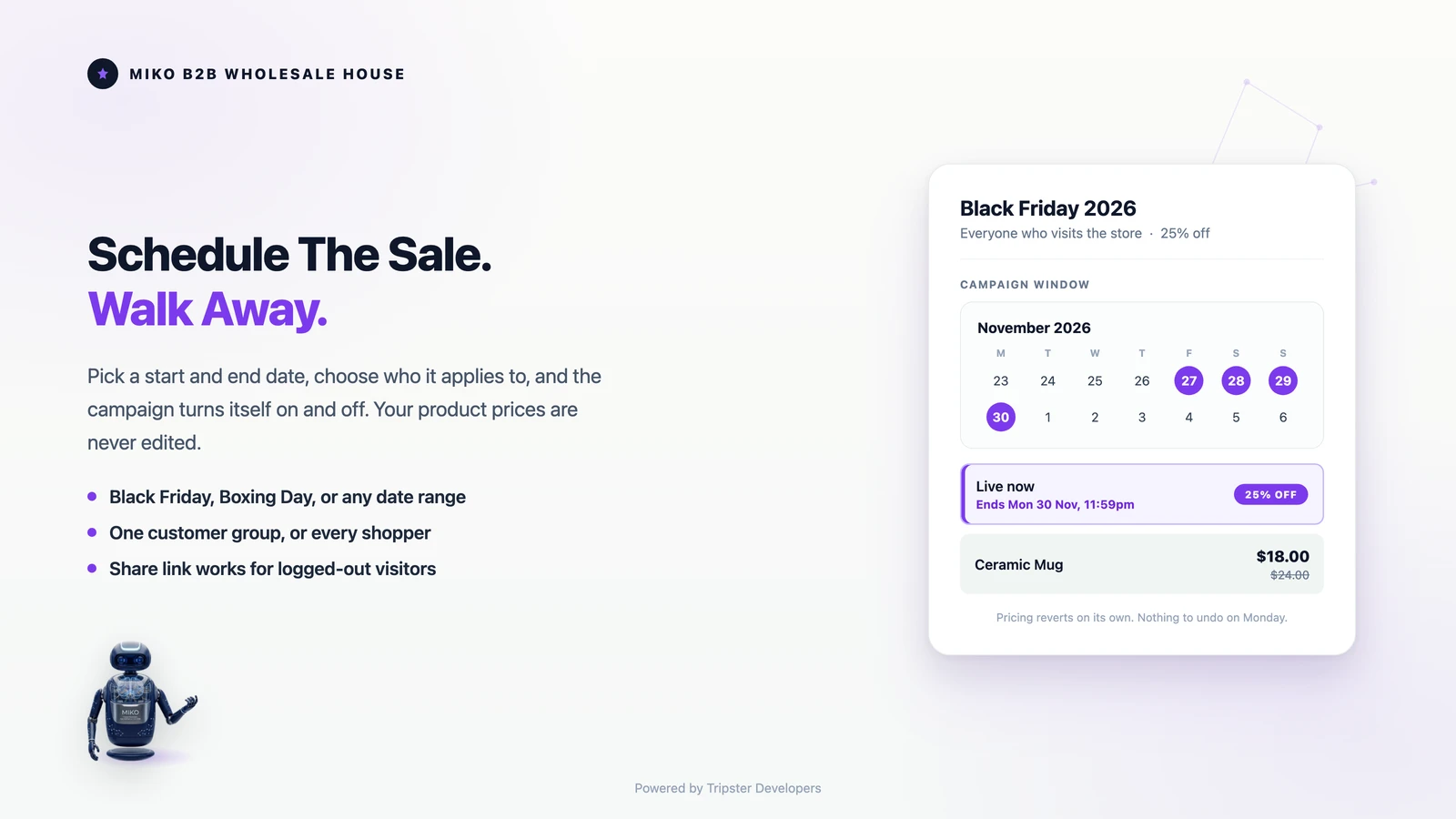
Set a start date and an end date, choose whether the discount applies to one wholesale group or to every shopper, and the campaign switches itself on and off. Your product prices are never edited, so there is nothing to put back on Monday morning and no sale price left running by accident. Read the guide →
04Wholesale registration
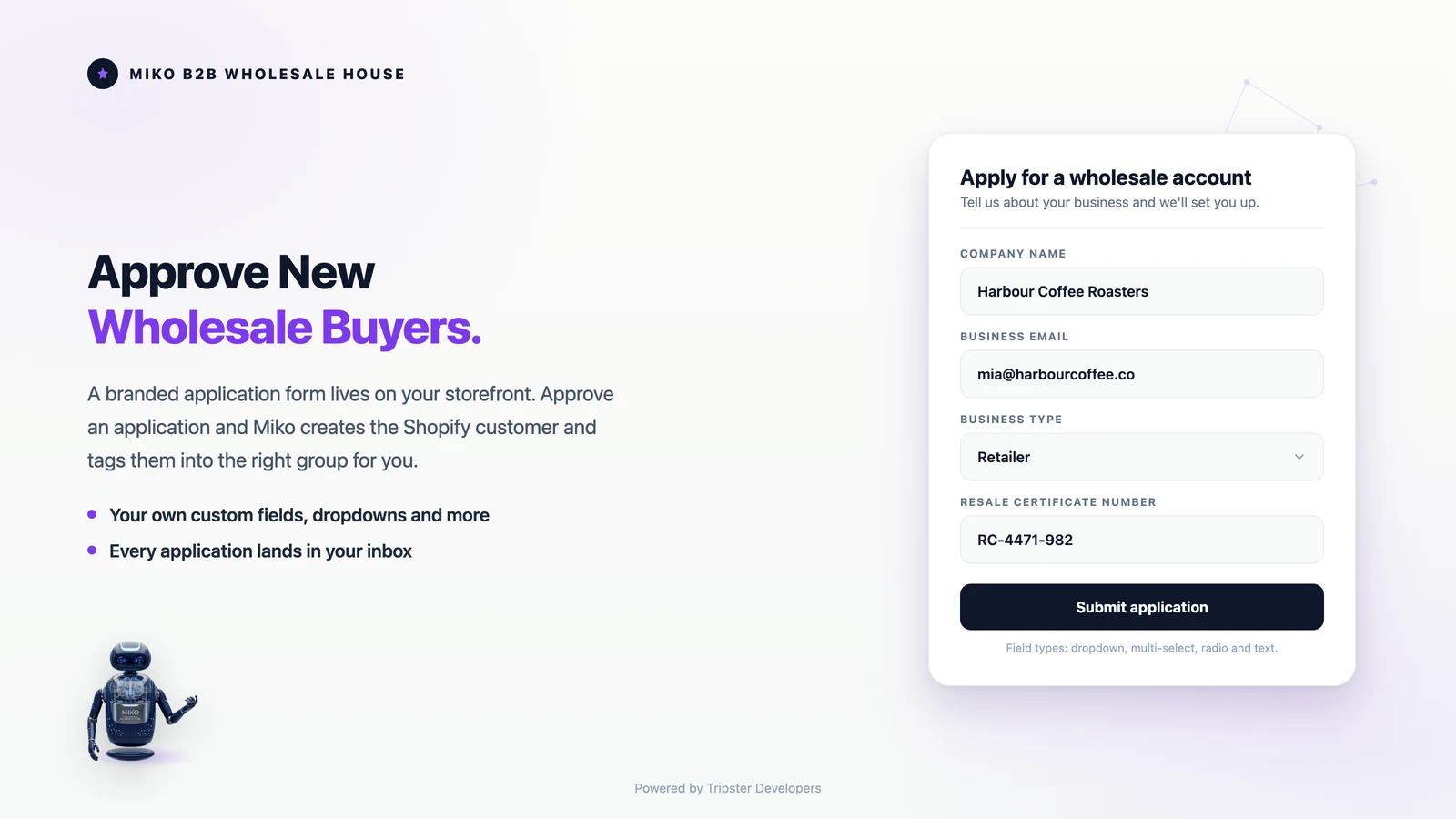
Stop taking trade applications over email. One form, their branding, your questions: publish a real signup form that inherits the fonts from your live theme, with colors, button style and corner radius set in the theme editor, so it looks like a page you built, with zero custom code. Review each application in the admin. Approving creates the Shopify customer, applies the group tag, and switches their wholesale pricing on immediately.
05Net terms
Offer approved wholesale accounts invoice payment terms directly in the Shopify checkout, with no separate invoicing tool and no manual approval step. Terms are assigned per customer group and surface natively through Shopify's payment customization API: the net terms payment method you create in Shopify is shown only to eligible groups, and hidden from everyone else. Net terms are part of the Pro plan.
06Purchase orders
Buyers still send purchase orders by email and PDF. Upload the purchase order as a PDF, Excel or CSV file and Miko matches SKUs to your variants, applies the correct group pricing, and creates a draft order ready to send for payment or fulfillment. Purchase orders are part of the Pro plan.
See it in action
Volume discounts and quantity break pricing reward buyers for ordering in bulk. Set quantity breaks per group, per product, or across a whole collection, and Miko applies the right tier automatically at checkout once the cart qualifies. Volume discounts are part of the Growth and Pro plans.
Example only. You set your own products, tiers, and percentages inside the app.
How it works
No complex setup, no draft orders, no coupon codes. Miko B2B applies wholesale pricing automatically using Shopify's native tag system.
Define a wholesale tier in the Miko admin, name it (e.g. "Gold Wholesale"), set the pricing rule: a percentage discount (20% off) or fixed custom prices per variant.
Add the corresponding Shopify customer tag (e.g. wholesale-gold) to your wholesale buyer's account. Miko detects this instantly.
When the tagged customer logs in, their wholesale prices appear automatically on product pages, collections, cart, and inside the Shopify checkout, no extra steps.
Features
Everything your wholesale operation needs, built directly on Shopify's latest platform capabilities.
Apply a flat percentage discount across all products (e.g. 25% off), or set fixed custom prices on a per-variant basis for top-tier accounts. Mix both approaches across different groups, each with its own pricing rules and priority for conflict resolution when a customer has multiple tags.
Discounts are applied natively at checkout via Shopify Functions, not draft orders or discount codes. This means no checkout friction, line-item price breakdown, and compatibility with all checkout extensibility.
Control exactly which products and collections are visible per customer group. Show your exclusive distributor-only inventory only to qualified accounts. Hidden products don't appear in search or collections. Pro plan.
Restrict your entire Shopify storefront to approved wholesale buyers only. Unauthenticated visitors see a branded login page. Perfect for private B2B portals and exclusive manufacturer catalogs. Pro plan.
When a wholesale buyer walks into your store, your staff should not have to look up a price list. Add the tagged customer to the cart in Shopify Point of Sale and the same Shopify Function applies their group pricing to the sale at the register. Same pricing rules as your online store, no second setup. Growth and Pro plans.
Miko's App Embed loads a script from the theme app extension that shows each customer their wholesale price (with crossed-out retail price) on product pages, before they even reach the cart. Works without theme code changes.
Technical Edge
Miko B2B isn't a single app, it's five tightly integrated Shopify extensions that together deliver a complete B2B infrastructure without editing your theme code.
Checked in the Miko B2B code, September 2026
cart.lines.discounts.generate.run calculates wholesale discounts, volume breaks and campaign prices during checkout on Shopify's infrastructure. Reads pricing config from a discount metafield set by the app, and is compiled to WebAssembly from Rust so large wholesale carts stay inside Shopify's function limits.Pricing
Run real wholesale pricing on the Free plan for as long as you like. Paid plans add unlimited orders, unlimited groups, and the full B2B suite, each with a 14-day trial. Zero coupon codes required on any plan.
$0/mo
Free forever, no card required
$29/mo
14-day free trial included · or $261/year, save 25%
$59/mo
14-day free trial included · or $531/year, save 25%
$89/mo
14-day free trial included · or $801/year, save 25%
All charges are billed in USD.
Built For
Miko B2B is used across industries where running retail and wholesale on one Shopify store matters.
Sell direct-to-consumer at retail price while simultaneously providing distributors and resellers with their negotiated wholesale rates, all on one Shopify store. No duplicate product catalogs. Custom prices per variant start on Growth.
Use Storefront Lock (Pro) to create a fully gated wholesale portal. Only approved, tagged buyers can log in and see your catalog, ideal for exclusive product lines or private manufacturing orders.
Create Gold, Silver, and Bronze distributor tiers with different pricing rules. Each tier gets automatic pricing without anyone managing discount codes or manual invoices. Priority rules handle multi-tag customers. Unlimited groups start on Growth; the Free plan covers one wholesale group to start.
FAQ
Technical and commercial questions about the B2B Wholesale Pricing.
Yes, for most wholesale businesses. Shopify B2B is built in on the Basic, Grow, Advanced and Plus plans, with company accounts, net payment terms and B2B catalogs. Below Plus you get up to three active B2B market catalogs and need the new Shopify Markets; direct company catalogs, deposits and partial payments are Plus only. Miko B2B adds what the native setup does not: tag-based wholesale prices without coupon codes, volume discounts, scheduled campaigns, storefront lock and PDF, Excel or CSV purchase orders, on any Shopify plan.
Miko uses a Shopify Function (cart.lines.discounts.generate.run) that runs on Shopify's infrastructure during checkout. When a wholesale customer checks out, the Function reads their pricing config and applies line-item discounts automatically, no coupon codes, no draft orders.
Yes, that's Miko B2B's core use case. Retail customers browsing your store see standard prices. Logged-in wholesale buyers (identified by their Shopify customer tag) see their group's wholesale prices. No duplicate stores, no separate Shopify accounts.
Percentage pricing applies a uniform discount (e.g. 20% off) across all products for a group, great for simple wholesale tiers. Fixed custom pricing lets you set an exact price per product variant for a group, essential for distributors who have individually negotiated prices per SKU. Fixed pricing is available on Growth and Pro plans.
Storefront Lock is implemented via a Shopify App Embed that redirects unauthenticated visitors to a login page. For SEO-sensitive stores, we recommend keeping Storefront Lock disabled and using Product Visibility control instead, which hides specific products per group without affecting overall store accessibility.
Yes. Miko B2B complements Shopify's native B2B (Shopify now includes it on every plan, with more on Plus) by adding tag-based pricing that works without the Company/Location setup, and features (storefront lock, CSV POs, POS integration) that extend beyond the native B2B Company/Location model. For merchants wanting to use native B2B Companies, contact us to discuss the best architecture.
Miko Apps
Free plan available · 14-day free trial on paid plans · Live on the Shopify App Store since June 2026
The Miko Suite
Every Miko app is built to compound with the others: one customer brain, one checkout, one support team.
 Miko Loyalty & RewardsPoints, VIP tiers and referrals that bring shoppers back.→
 Miko Claude AIChurn prediction, RFM segments and AI win-backs.→
 AI Descriptions & NarrateBulk SEO copy in your voice, plus a Listen button.→
 Miko Product RentalsDate pickers, deposits and overbooking protection.→
 Miko Subscribe & SaveSubscriptions and subscribe & save with a self-serve portal.→
 Miko Restock: Inventory & POKnow what to reorder, how much and when.→
 Miko Bulk Image ResizerResize, compress and watermark every product photo.→
 Authentica: COA CertificatesQR-verified Certificate of Authenticity for every order.→
 Miko AI Help Center & FAQHelp centre and FAQ pages written from your own store data.→
 Live Odoo ConnectorReal-time two-way Shopify to Odoo ERP sync. Custom install.→
Not on Shopify yet?
Set up your store in minutes and try it with your own products. Loyalty, wholesale pricing, AI descriptions and the rest of the Miko apps install in one click once your store is live.