



Live availability on the product page
Customers pick their dates on a booking calendar, with multi-unit overbooking protection.
 Miko Product Rentals
Live on App Store
Add a rental booking calendar to any product in minutes. Customers pick their dates, you manage everything from one dashboard. No coding, no workarounds, no headaches.
 Miko Product Rentals
Why merchants install it
Customers pick their dates on a booking calendar, with multi-unit overbooking protection.

Take a refundable deposit per booking, then release or keep it from your dashboard.

Booking, reminder and overdue emails go out on their own on every plan.
How it works
Add the app and choose which products you rent out, with unit counts and rates.
Drop the Miko Rentals block onto your product page in the theme editor.
Every booking lands in one dashboard with dates, deposit and return status.
01Date picker
Turn any product into a rentable item. Customers choose their start and end dates on the product page and pricing calculates from the duration automatically, with no separate rental storefront to maintain.
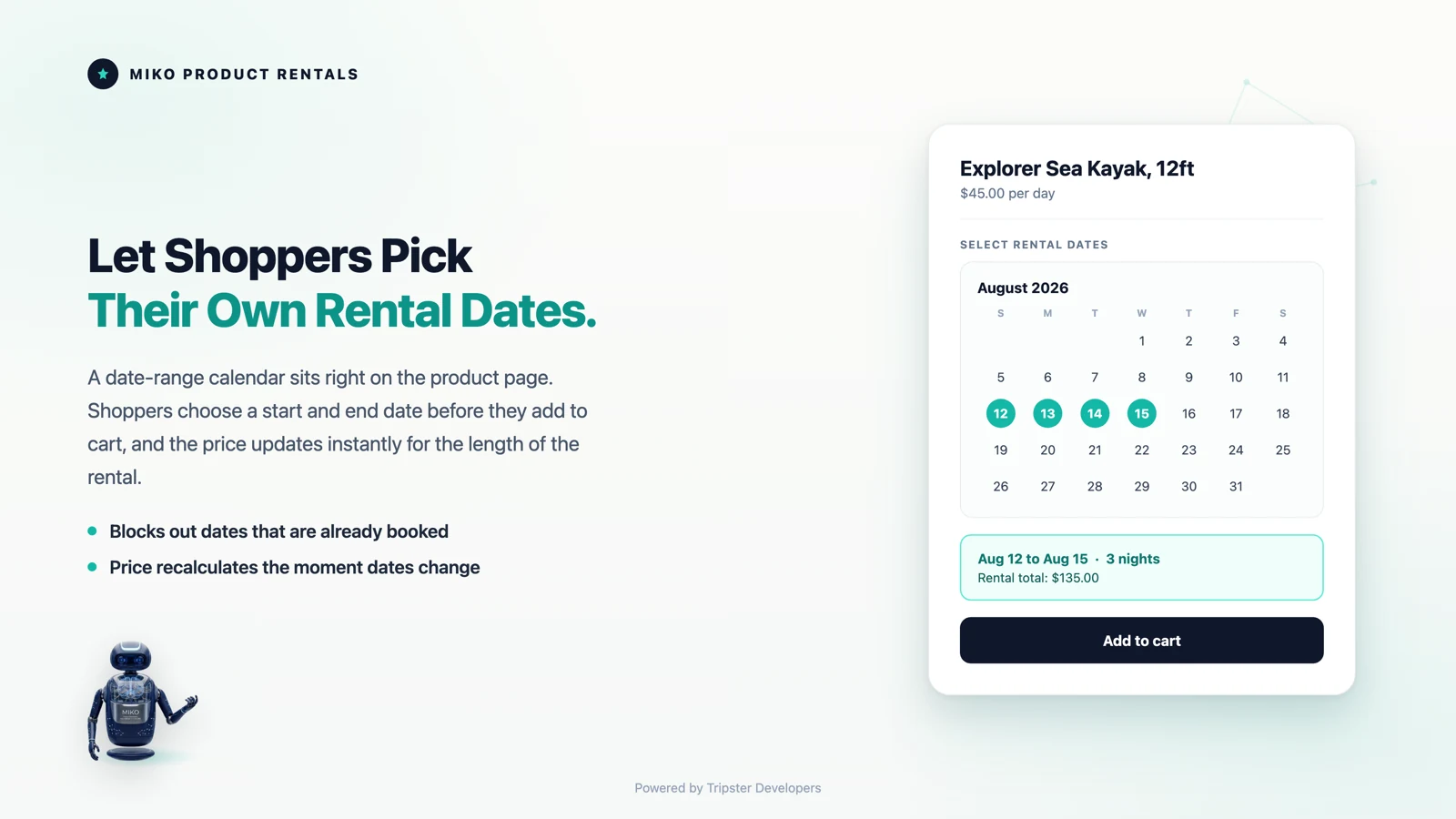
02Multi-unit inventory
If you own eight of something, eight customers can rent it on the same day and the ninth cannot. Miko tracks real availability per unit rather than treating stock as a single number, counted day by day.
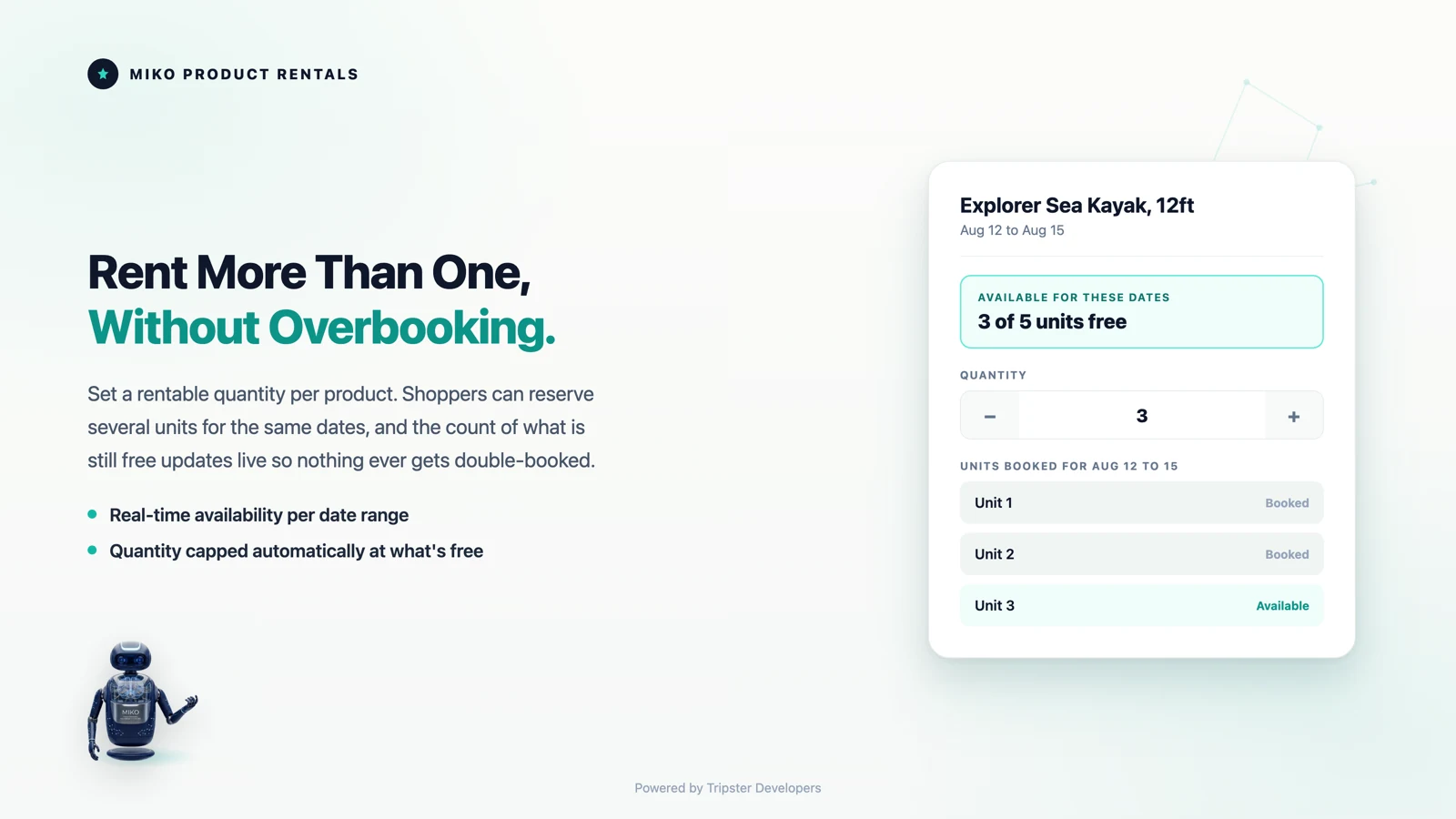
03Standard checkout
No draft orders, no invoices, no manual follow up. Rental bookings check out through Shopify exactly like any other order, so your payments, taxes and reporting stay in one place.
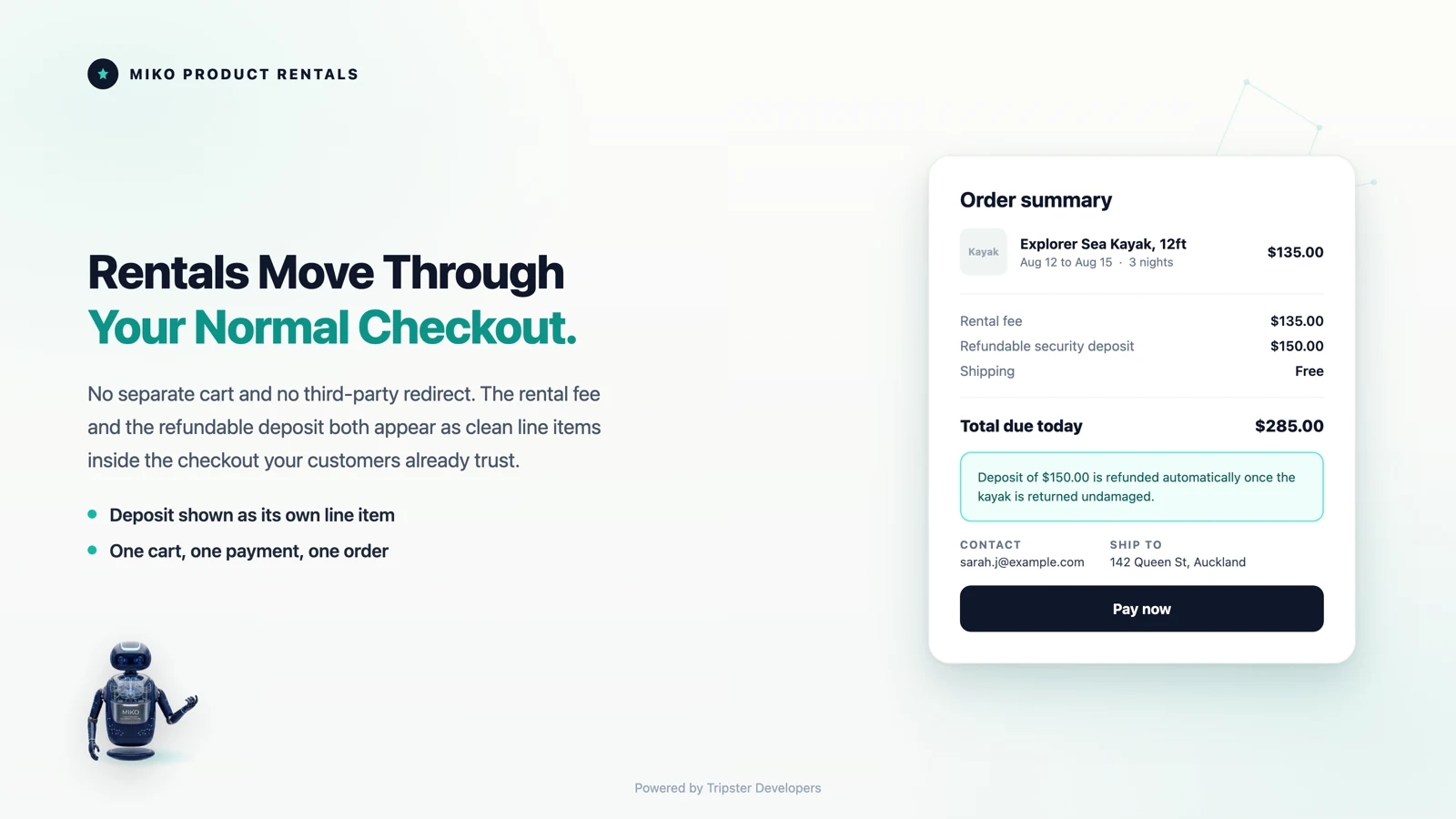
04Booking calendar
See every booking in one view, know what is on hire today, and see what is due back before a customer asks.
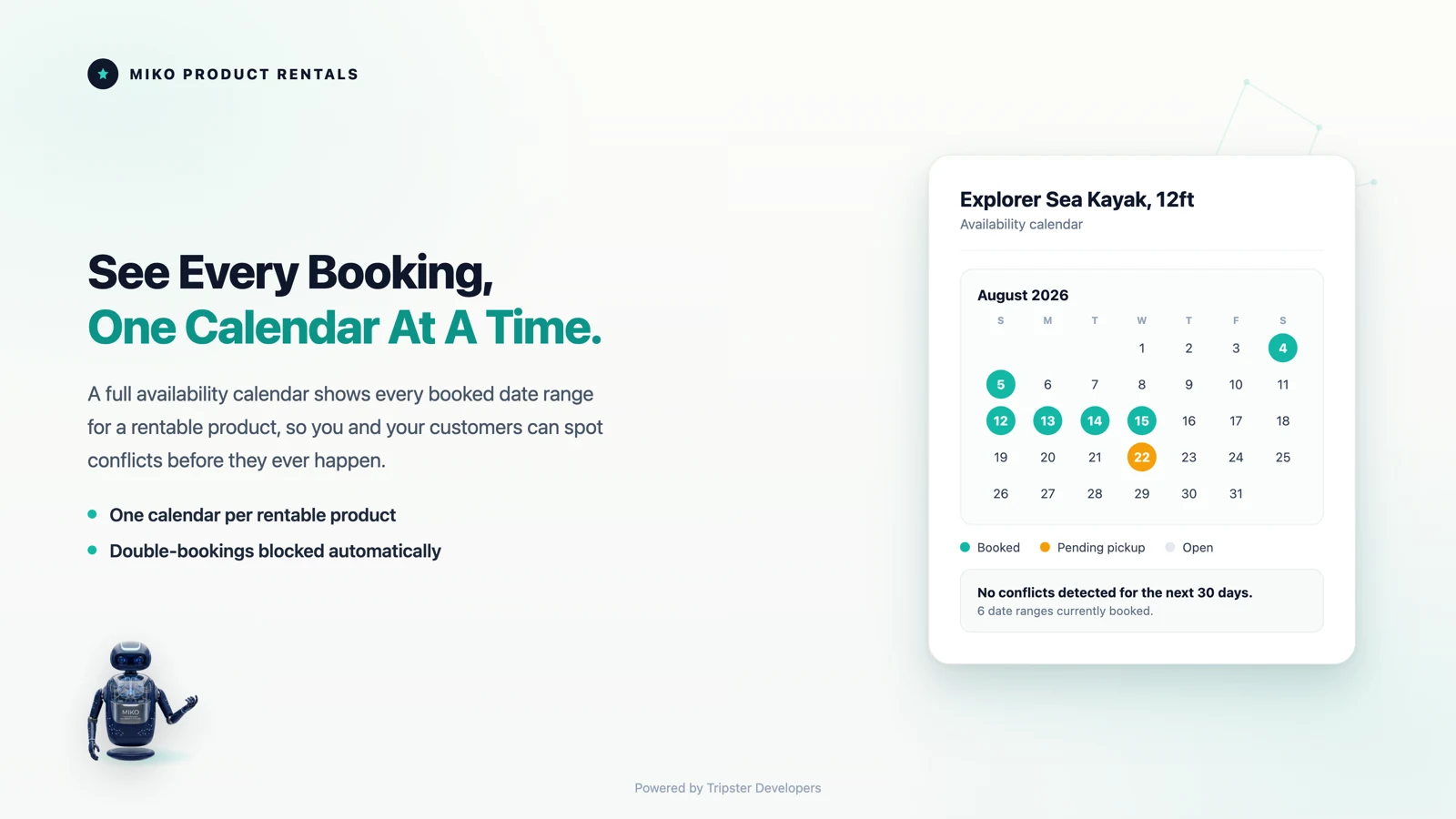
05Deposits
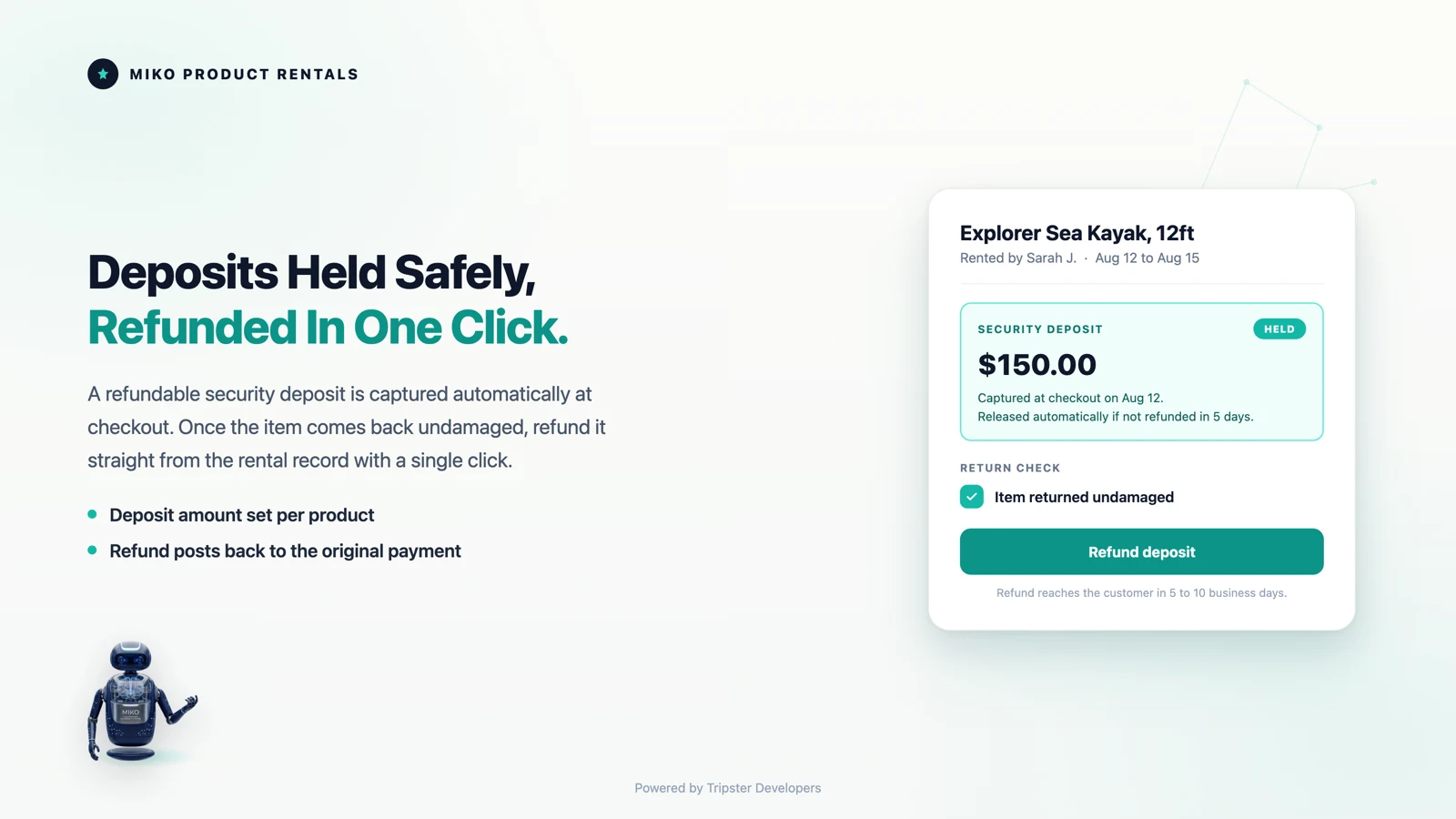
Take a security deposit at checkout and release it once the item comes back in good condition, without chasing payments manually. If it comes back damaged, forfeit it instead.
06Dashboard
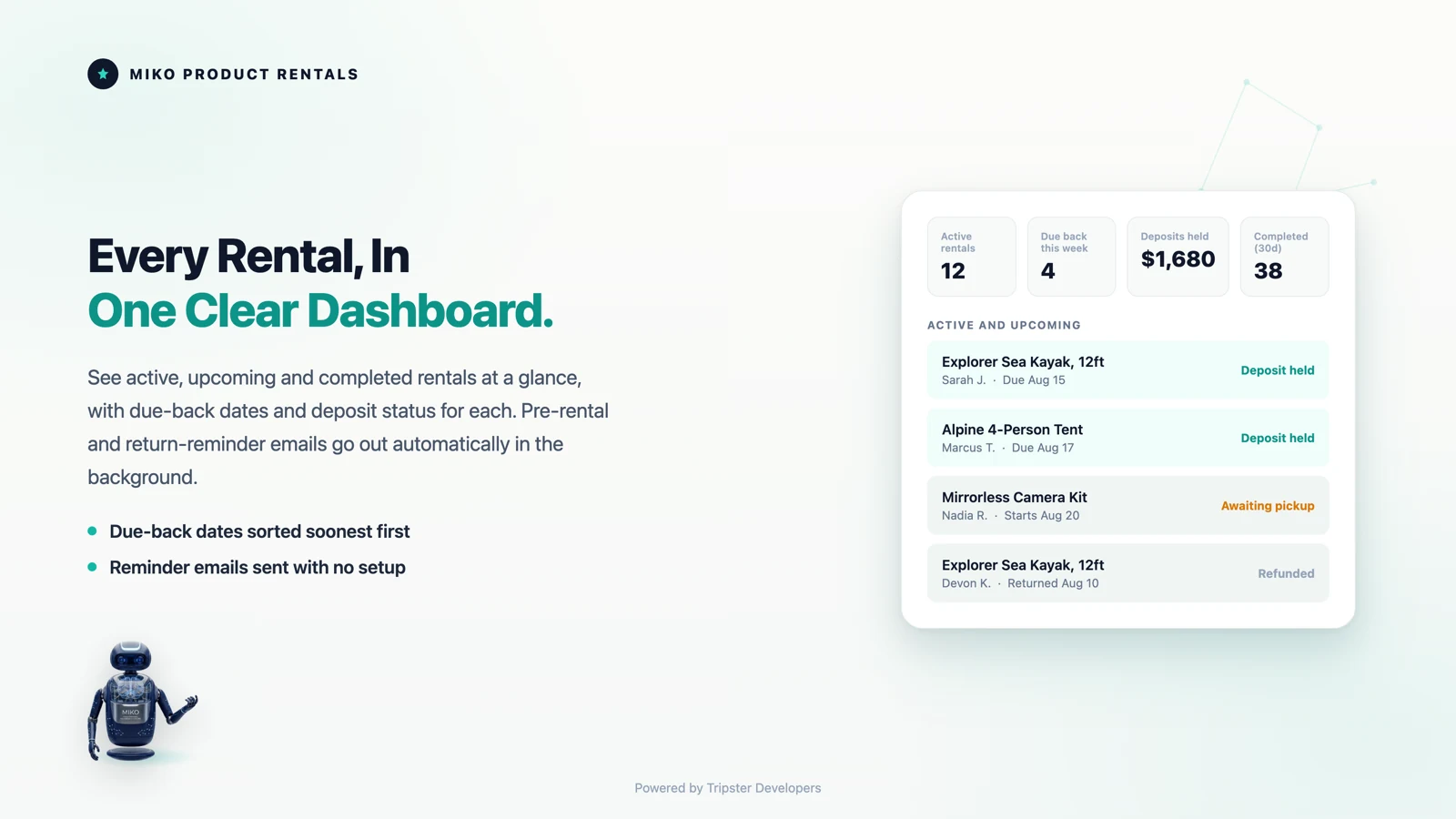
Bookings, inventory, deposits and automated customer emails in one place, so a rental business runs on Shopify rather than beside it. Filter by status and search by customer name.
See it in action
Eighteen seconds, no narration needed. Dates chosen on the product page, deposit taken, booking in the dashboard.
How it works
Miko Product Rentals is built for Shopify merchants, not developers. You do not need to touch your theme code or hire anyone to set it up.
Install Miko Product Rentals from the Shopify App Store. Pick the products you want to rent out and set your pricing, unit count, and any minimum rental duration. That is all there is to it on the setup side.
Enable the Miko Rental Calendar block in your Shopify theme editor. It slots into any section of your product page. Customers immediately see an availability calendar and can select their rental dates without leaving your store.
Every booking lands in your Miko dashboard with full customer details, rental dates, deposit status, and booking history. Mark items as returned, release deposits, add notes, and send follow-up emails all from one place.
Features
Miko Product Rentals gives you a complete rental management layer on top of your existing Shopify store. No separate booking system. No manual spreadsheets. A native booking calendar on the product page, multi-unit inventory that works at the variant level too, and deposits you release or forfeit with one click, plus:
Set your price per day, per week, or per month. Set all three and Miko applies the longest rate that fits the customer's chosen duration, with any extra days at the daily rate. Different rates per variant are supported.
Miko sends booking confirmation emails when payment is made, return reminders the day before the due date, and overdue emails when an item is not back on time, on every plan. Customizable templates with your branding.
Configure a grace period and a flat daily late fee. Miko flags overdue bookings automatically and calculates the amount owed. Keeps you on top of returns without chasing customers manually.
Need to take a product off the calendar for maintenance, a photoshoot, or a public holiday? Block specific dates per product or across your whole store in seconds. Bookings cannot be made for blocked periods.
Every rental moves through a clear lifecycle: pending, confirmed, active, returned, overdue, or canceled. Your dashboard shows you exactly where every booking stands at any given moment.
See your rental activity at a glance. Track revenue this month and all time, average booking value and rental length, active and overdue rentals, deposits held, and your top products by rental revenue. Everything inside your Shopify admin.
Technical Edge
Miko Product Rentals uses Shopify's own extension points for the storefront, the cart and the order, so bookings, payments and refunds stay in your normal Shopify records.
Checked in the Miko Product Rentals code, September 2026
Pricing
Every plan includes the core rental feature set. The free plan is genuinely free, not a 14-day trial. Paid plans add a 14-day free trial. Upgrade when your rental volume grows.
$0
10 lifetime rentals
$19.95/month
50 rentals per month · 14-day free trial
$49.95/month
200 rentals per month · 14-day free trial
$89.95/month
500 rentals per month · 14-day free trial
All charges are billed in USD.
Built For
Whether you rent out one product or five hundred, Miko Product Rentals handles the complexity so you can focus on your customers. Each rental product gets its own unit count, daily, weekly and monthly rates, optional minimum and maximum rental days, and a refundable deposit per unit, and products with variants get their own units, rates and deposit for each variant.
Kayaks, bikes, surf equipment, camping gear. Rent by the day or week with availability built right into your store.
Cameras, lenses, lighting rigs, and audio gear. Set daily or weekly rates and collect deposits automatically.
Costumes, suits, gowns, and accessories. Know exactly what is booked, when it is due back, and what is overdue.
Event furniture, staging props, art installations. Set minimum rental days and let Miko handle the availability calendar.
Power tools, construction equipment, specialist machinery. Manage units across products and keep your calendar accurate.
Marquees, sound systems, lighting, catering equipment. Block dates for maintenance or closed periods with one click.
FAQ
Common questions about plans, the date picker, variants, deposits and overdue returns.
Yes. Miko Product Rentals installs on every Shopify plan including Basic, Shopify, Advanced, and Plus, and none of Miko's own plans is locked to Shopify Plus. One Shopify rule to know: the rental total is set at checkout by a Shopify cart transform Function, and Shopify currently lets these Functions change a line price only on Shopify Plus and development stores. If your store is on another Shopify plan, place a test booking before going live and contact us if the checkout total does not match the booking.
The Free plan is genuinely free, not a 14-day trial. You get 10 lifetime rentals at no cost with no credit card required. If you are just getting your rental business started, or testing the waters, the free plan is a real starting point.
Miko Product Rentals uses a Shopify Theme App Extension, which means it adds a block to your Shopify theme editor. You simply drag the Miko Rental Calendar block onto your product page template in the theme editor. No code editing, no theme file changes.
Yes. Each Shopify variant can have its own unit count, daily rate, weekly rate, monthly rate, deposit, and availability. If you rent kayaks in Small, Medium, and Large sizes, each size gets its own separate inventory pool and pricing configuration.
The deposit is added to the Shopify checkout total alongside the rental price. When the customer pays, the full amount including deposit goes through your normal Shopify payment gateway. When you mark the booking as returned in your dashboard, you can release the deposit back to the customer via Shopify's refund system, or forfeit it if there is damage.
When a rental passes its return date without being marked as returned, Miko automatically updates the booking status to overdue and sends an overdue notification email to the customer, on every plan. You can configure a grace period before late fees kick in, and a flat daily late fee amount in your settings, and Miko prepares the late fee as a Shopify draft order invoice.
Miko Apps
Turn your Shopify store into a rental business. Free plan available. No credit card required to get started. Built by Tripster Developers · Auckland, New Zealand · Shopify Partner since 2016
The Miko Suite
Every Miko app is built to compound with the others: one customer brain, one checkout, one support team.
 Miko Loyalty & RewardsPoints, VIP tiers and referrals that bring shoppers back.→
 Miko B2B Wholesale PricingWholesale prices by customer tag, NET terms and POs.→
 Miko Claude AIChurn prediction, RFM segments and AI win-backs.→
 AI Descriptions & NarrateBulk SEO copy in your voice, plus a Listen button.→
 Miko Subscribe & SaveSubscriptions and subscribe & save with a self-serve portal.→
 Miko Restock: Inventory & POKnow what to reorder, how much and when.→
 Miko Bulk Image ResizerResize, compress and watermark every product photo.→
 Authentica: COA CertificatesQR-verified Certificate of Authenticity for every order.→
 Live Odoo ConnectorReal-time two-way Shopify to Odoo ERP sync. Custom install.→