



Subscribe and save on any product
Offer prepaid or pay-per-delivery subscriptions on any product, from the free plan.
 Miko Subscribe & Save
Live on App Store
Turn any product into a subscription with the schedule and discount you choose. Customers skip, pause, reschedule and cancel themselves through a self-serve portal, so the changes that used to arrive as emails never reach you at all.
 Miko Subscribe & Save
Why merchants install it
Offer prepaid or pay-per-delivery subscriptions on any product, from the free plan.

Customers sign in with their Shopify customer account and manage their own subscription.

Automatic failed payment retries on every plan, and a cancel flow with save reasons from Starter.
How it works
Add the app from the Shopify App Store. Your first 50 active subscribers are free.
Pick what can be subscribed to and set the delivery terms.
Shoppers choose subscribe and save on the product page and manage it themselves.
01Offers
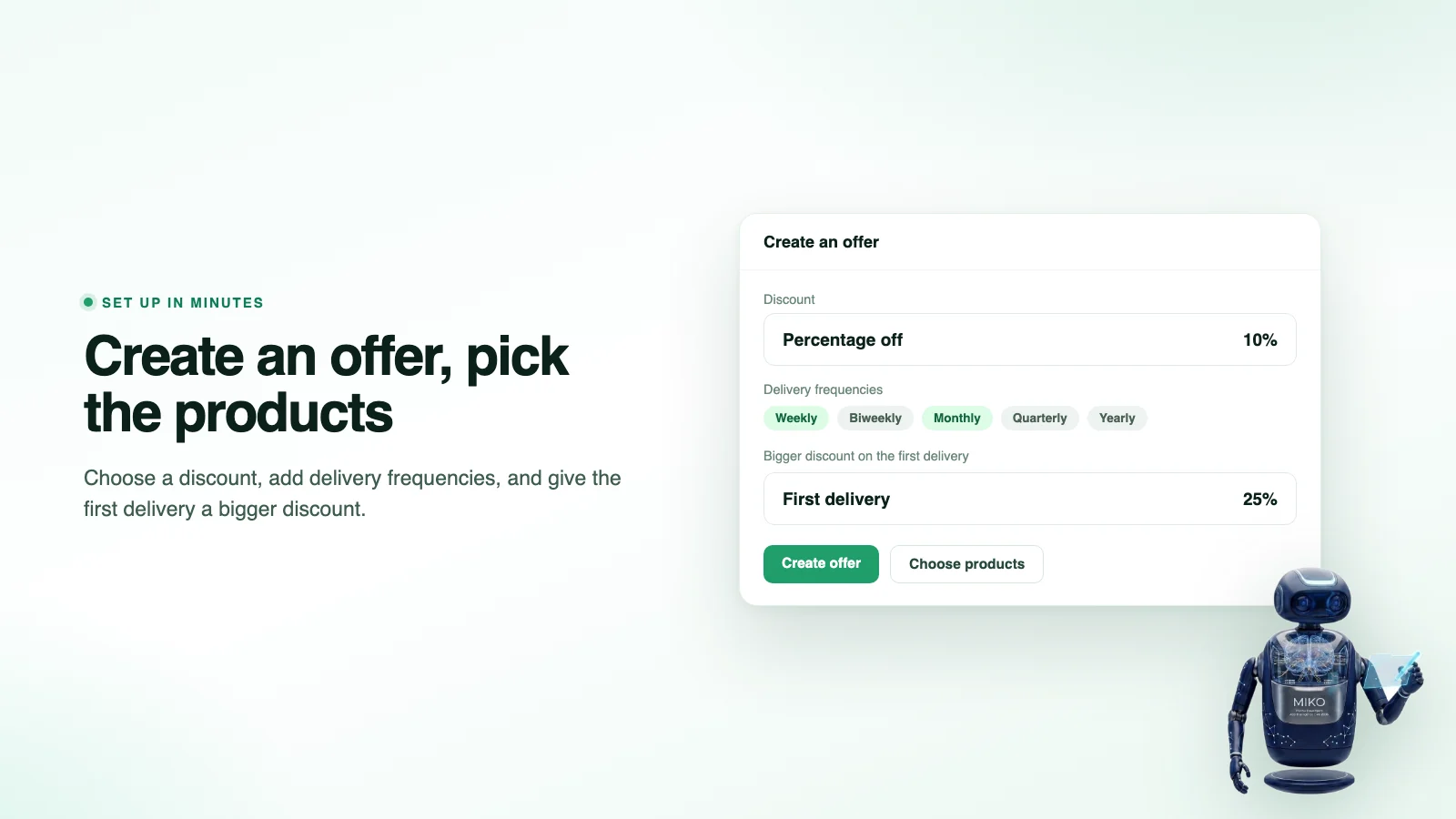
Choose a discount, add the delivery frequencies you want to offer, and attach the offer to the products that should carry it. Each offer is saved as a Shopify selling plan on the product itself, so it works with your checkout as it is.
02Customer portal
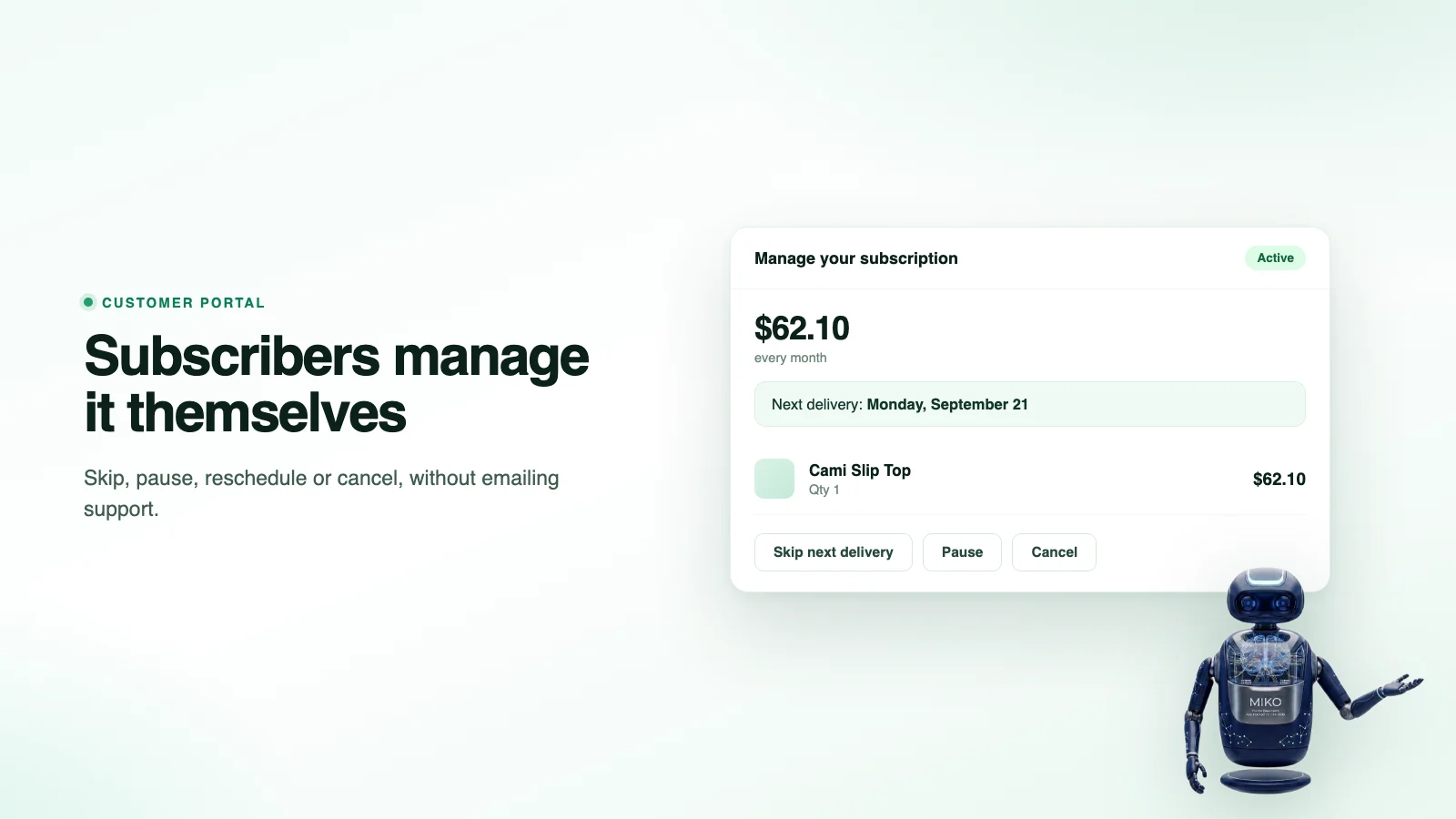
A portal customers run themselves, on your own domain and in your own colors. Shoppers sign in with their Shopify customer account, so nobody can see a subscription that is not theirs. Skip, pause, reschedule, cancel: every one a support ticket you no longer answer.
03Subscribers
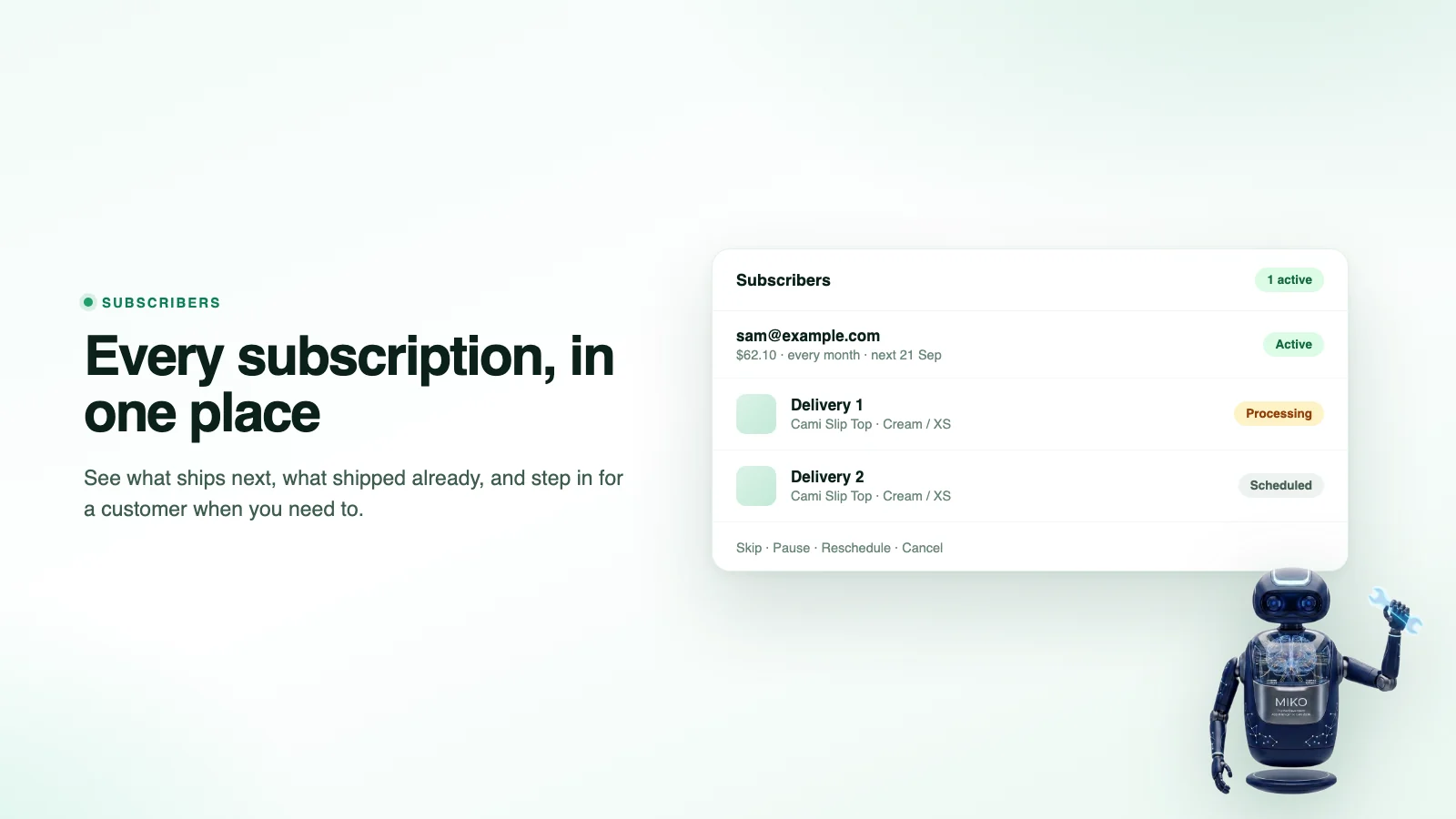
See what ships next, what shipped already, and step in for a customer when you need to. Each delivery shows its real order status from Shopify, and the list stays in sync through Shopify webhooks and a background reconcile.
04Retention
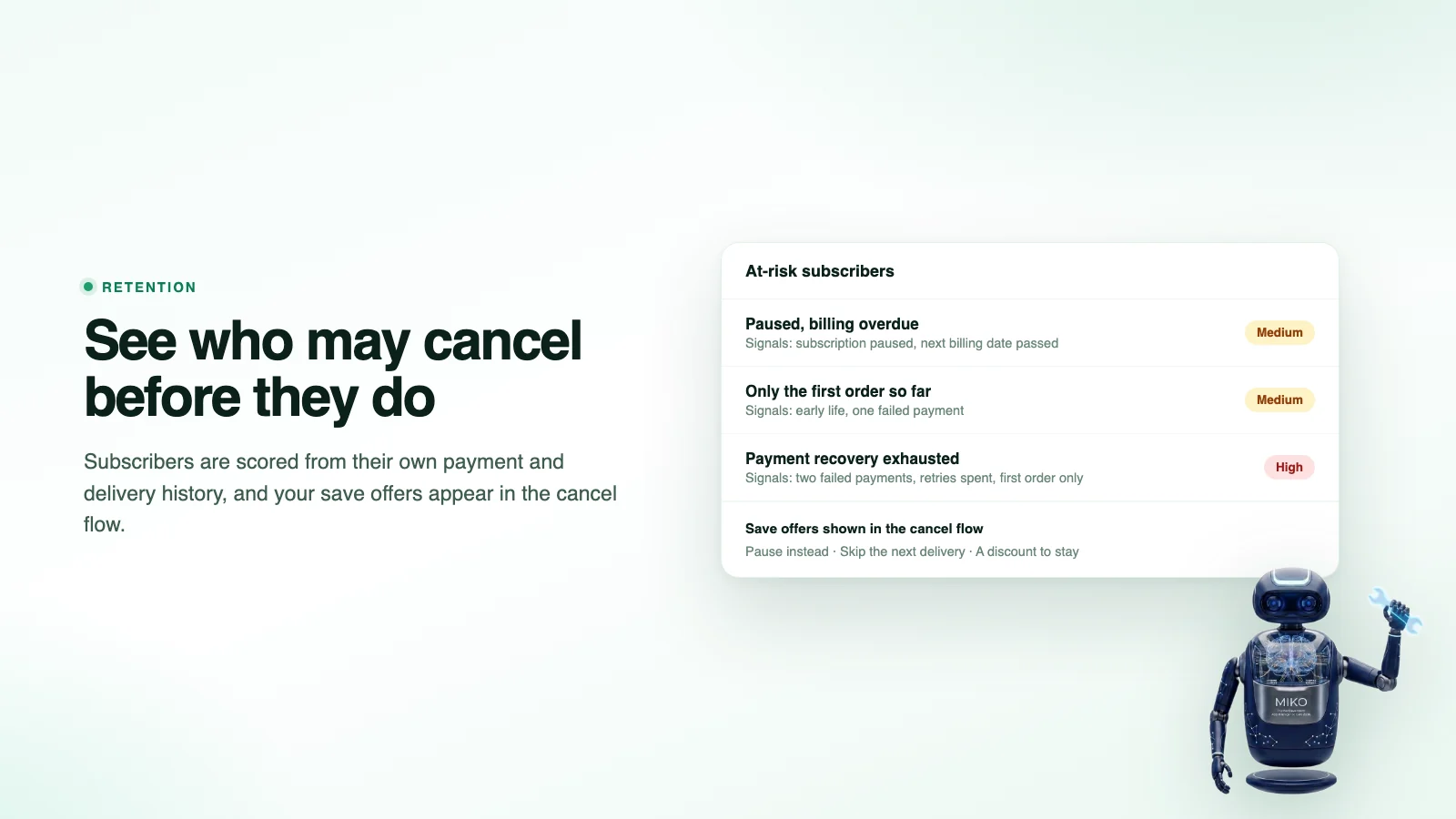
Churn you can see coming. Every active and paused subscriber carries a churn score, refreshed hourly from your own store's history, with the reasons behind it. Before a cancellation completes, the cancel flow offers the save offers you have set up.
05Failed payments
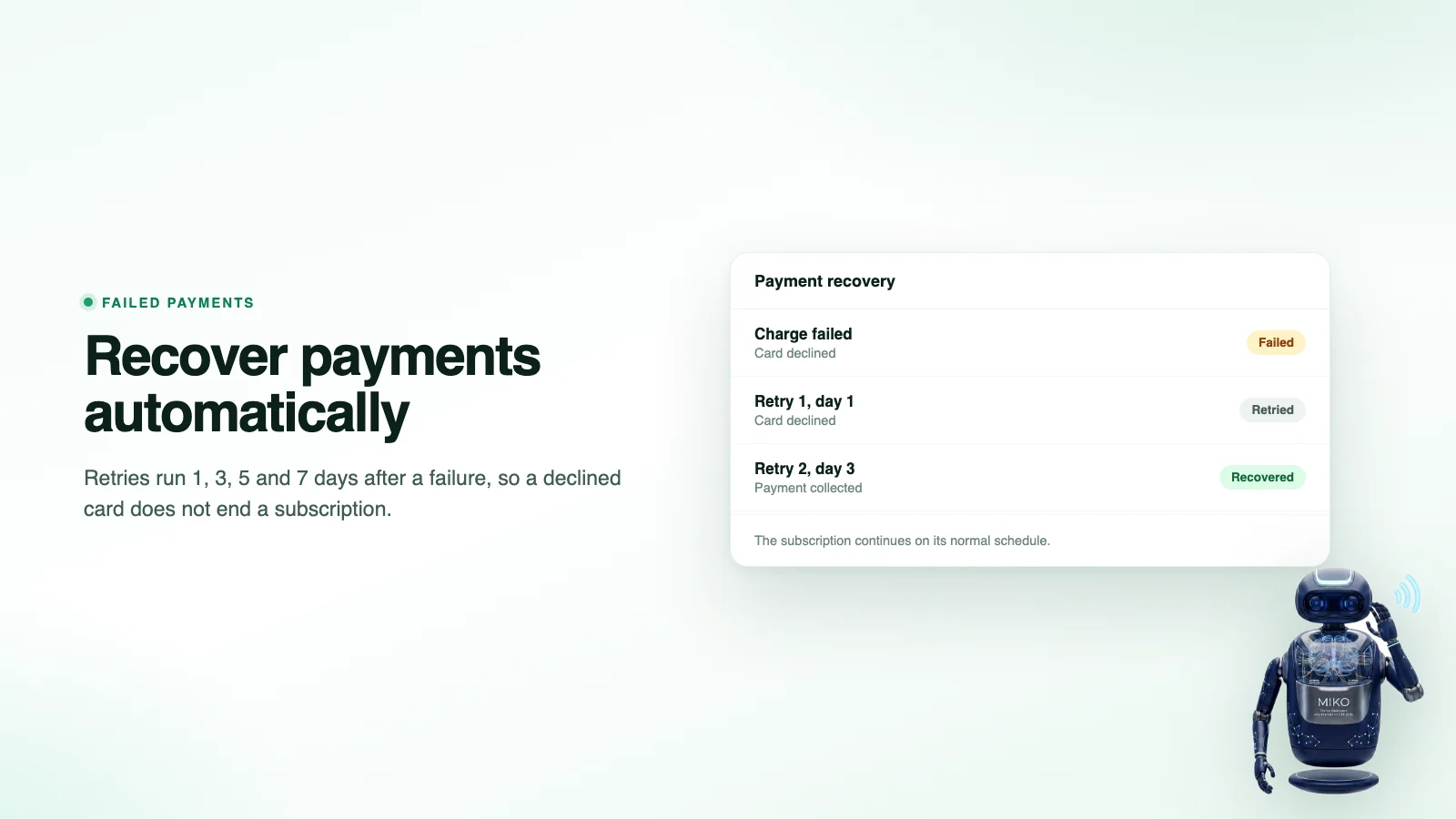
When a recurring charge fails, it is retried 1, 3, 5 and 7 days after the first failure, because most involuntary churn is an expired card, not a decision. A subscriber who fixes their card after the retries are spent still counts as recovered.
06AI assistants
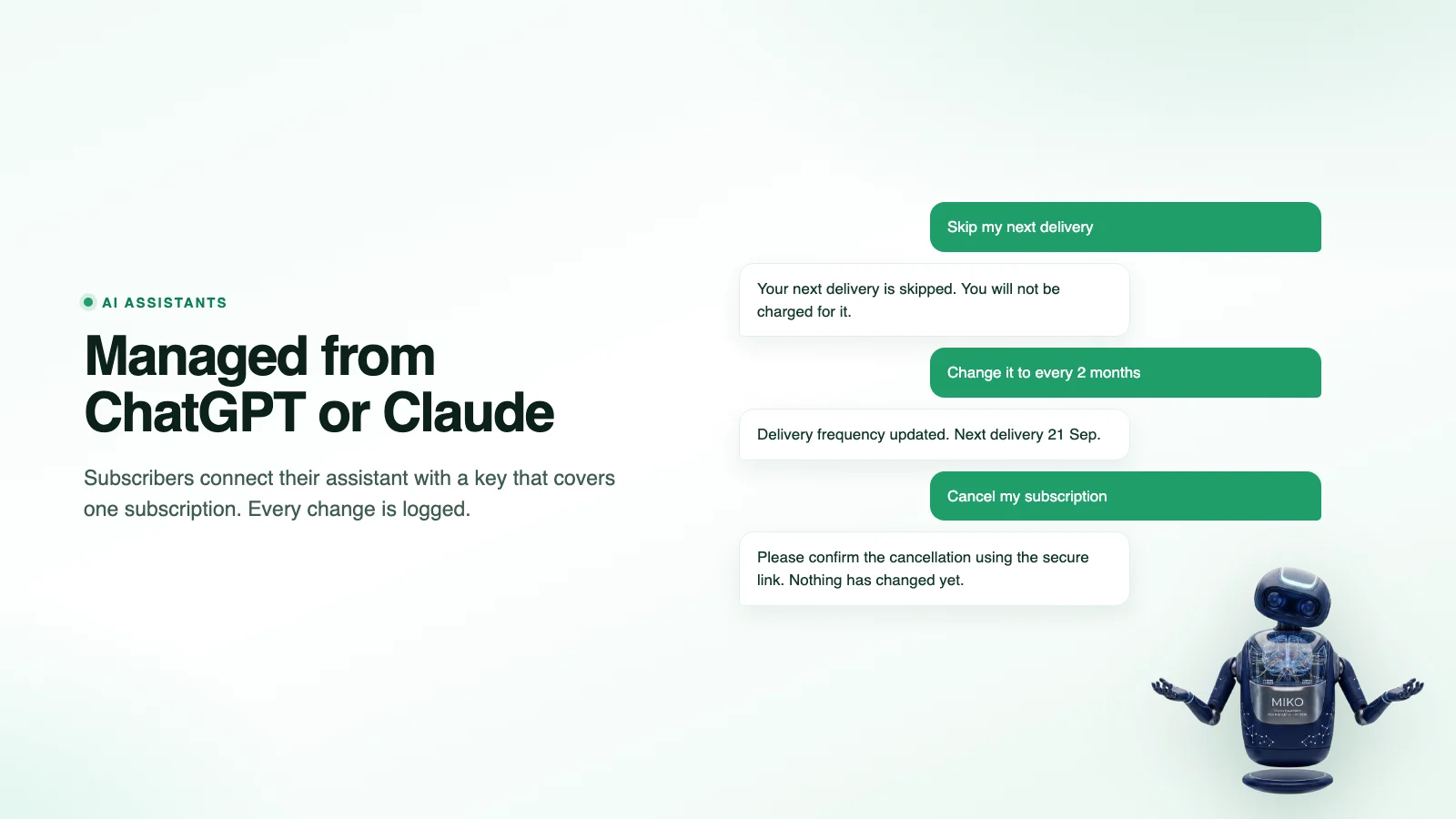
Subscribers can connect an AI assistant to their own subscription with a key they create in the portal. The assistant can skip, pause, resume, move the next delivery or change how often it arrives. A cancellation asked for through an assistant waits for the subscriber to confirm, unless you switch on auto-apply on Growth or Pro.
How it works
The subscribe and save widget is a theme app extension, added through the theme editor with no Liquid to edit. Set the interval, set the recurring price against the one-time price, and the choice appears where the decision is made. Prepaid and pay-per-delivery both work, so you can take the whole commitment up front or charge per shipment.
Set the discount and the delivery frequencies, then attach the offer to products. Miko saves it as a Shopify selling plan on each product.
Switch on the Subscribe & Save block in the theme editor. Shoppers see the one-time and subscription prices side by side and pick how often it arrives.
An hourly job creates the charge for every delivery that is due, Shopify reports the result back, failed charges enter the retry ladder, and subscribers manage the rest in the portal.
Features
A card expires and the order silently does not happen. A customer wants to skip once, cannot work out how, and cancels instead. Someone drifts for weeks with every signal in the data unread. None of that is a pricing problem, and all of it is fixable.
The one-time and recurring prices sit side by side on the product page, added through the theme editor with no code.
Shoppers sign in with their own Shopify customer account, with no separate portal password. Skip, pause, reschedule, cancel: every one a support ticket you no longer answer.
Automatic retries on a schedule, plus a secure Shopify link to update the card, because most involuntary churn is an expired card, not a decision.
Subscribers are scored from your own store's history, and the cancel flow offers a pause, a skip or a discount before the exit.
Prepaid terms take payment up front for several deliveries, which improves cash flow. Pay per delivery charges on each shipment. Either can open with a bigger first-delivery discount.
On Growth and Pro, the AI drafts save offers from your at-risk subscribers. A human approves before anything reaches a customer.
Technical Edge
Offers, contracts and billing live in Shopify. Miko adds the storefront block, the portal and the recovery logic on top, through Shopify's own extension points rather than scripts patched onto your theme.
Checked in the Miko Subscribe & Save code, September 2026
Pricing
No percentage of your subscription revenue, ever. Start free and upgrade only when the program outgrows the cap.
$0/mo
Forever free
$7.99/mo
14-day free trial included · or $86.29/year, save 10%
$12.99/mo
14-day free trial included · or $140.29/year, save 10%
$19.99/mo
14-day free trial included · or $215.89/year, save 10%
Compare Miko Subscribe & Save with the rest of the family on the pricing page.
All charges are billed in USD through Shopify, with 0% transaction fees on every plan.
FAQ
Straight answers on plans, the portal, payments and data.
Yes. It is live on the Shopify App Store with a free plan available up to 50 active subscribers, and paid plans from $7.99 a month.
Yes. Subscriptions run on Shopify's native selling plans, so Basic, Shopify and Advanced all work. You do not need Shopify Plus.
Through a self-serve portal on your own domain. They sign in with their Shopify customer account, so there is no separate portal password and no second account to create, and they reach it from their account page or the link in your subscription emails. They can skip a delivery, pause, reschedule the next order or cancel without emailing you.
The charge is retried automatically, 1, 3, 5 and 7 days after the first failure, and from the portal the subscriber can ask Shopify to email them a secure link to update the card. Most involuntary churn is an expired card rather than a decision to leave, so recovering it is the cheapest retention win available.
Yes, that is the subscribe and save model: a one-time price and a lower recurring price on the same product, shown side by side on the product page so the saving is obvious at the point of choice. You can also give the first delivery a bigger discount than the ones that follow.
Not as a box they build themselves yet. Today a subscription is to the products you attach an offer to, and the customer chooses the product and how often it arrives. If a customer-built box matters for your store, tell us.
Both. Pay per delivery charges on each shipment. Prepaid takes payment up front for an agreed number of deliveries, which improves cash flow and tends to reduce cancellations because the commitment is already made.
Subscribers are scored for how likely they are to cancel, based on their own payment and delivery history: a pause, failed payments, recovery that ran out, an overdue billing date, or only one delivery so far. Before a cancellation completes, the cancel flow shows the save offers you have set up, such as a pause, a skip or a discount instead of leaving entirely, and you can keep an offer for high-risk subscribers only.
On the Growth and Pro plans, the AI drafts a save offer for you to review rather than sending it itself, based on the signals of your at-risk subscribers. It lands as a draft that you switch on. Nothing is sent to a customer without your approval.
Yes. A subscriber can create a key for their own subscription in the portal and connect ChatGPT, Claude or Copilot to it. The assistant can check the subscription, skip, pause, resume, move the next delivery or change how often it arrives. A cancellation asked for through an assistant waits for the subscriber to confirm through a secure link, and the key covers one subscription only.
No. It installs as a theme app extension and is added through the theme editor, so it works on Online Store 2.0 themes without editing Liquid. For older themes we can place it manually.
The Subscribe & Save block loads only on the pages where you place it, and the processing happens server-side. A slow Shopify store is almost always the cumulative weight of the whole app stack rather than any single app.
Usually yes, and it depends on what your current app can export and whether the payment tokens can move. Send us the app you are on and we will tell you honestly whether a clean migration is possible before you commit to anything.
Shopify requires us to delete store data within 48 hours of uninstall and we comply, so export what you want to keep first. The subscription contracts themselves live on Shopify, not with us.
No. Pricing is a flat monthly fee by subscriber count. We do not take a cut of what you sell, which matters more as the program grows.
Not as a separate gift purchase today: the person who subscribes is the person who manages it in the portal. A gift is available as a save offer, where you add a little something to a subscriber's next order instead of losing them.
Miko Apps
Up to 50 active subscribers at no cost, with the portal, payment recovery and AI assistant access included.
The Miko Suite
Every Miko app is built to compound with the others: one customer brain, one checkout, one support team.
 Miko Loyalty & RewardsPoints, VIP tiers and referrals that bring shoppers back.→
 Miko B2B Wholesale PricingWholesale prices by customer tag, NET terms and POs.→
 Miko Claude AIChurn prediction, RFM segments and AI win-backs.→
 AI Descriptions & NarrateBulk SEO copy in your voice, plus a Listen button.→
 Miko Product RentalsDate pickers, deposits and overbooking protection.→
 Miko Restock: Inventory & POKnow what to reorder, how much and when.→
 Miko Bulk Image ResizerResize, compress and watermark every product photo.→
 Authentica: COA CertificatesQR-verified Certificate of Authenticity for every order.→
 Miko AI Help Center & FAQHelp centre and FAQ pages written from your own store data.→
 Live Odoo ConnectorReal-time two-way Shopify to Odoo ERP sync. Custom install.→
Not on Shopify yet?
Set up your store in minutes and try it with your own products. Loyalty, wholesale pricing, AI descriptions and the rest of the Miko apps install in one click once your store is live.