



Answers written from your own store
Shipping, policies, pickup and markets, read directly from your store and turned into clear answers.
 Miko AI Help Center & FAQ
Live on App Store
Miko AI Help Center & FAQ reads your shipping zones, policies, local pickup, markets and existing FAQ pages, then writes clear answers to the questions shoppers ask most. Every answer publishes to a help centre page, your product pages, and the Shopify Knowledge Base that AI shopping assistants read.
 Miko AI Help Center & FAQ
Why merchants install it
Shipping, policies, pickup and markets, read directly from your store and turned into clear answers.

A help centre page, product page FAQs, and the Shopify Knowledge Base that AI shopping assistants read.

Answers are flagged out of date the moment your store changes, so nothing goes stale quietly.
How it works
Add Miko AI Help Center & FAQ from the Shopify App Store. No credit card required.
Miko reads your shipping, policies, pickup, markets and existing FAQs, and drafts answers.
Approve the answers, publish the help centre page, and sync to the Shopify Knowledge Base.
Every answer comes from a fact already in your store. Nothing publishes until you say so.
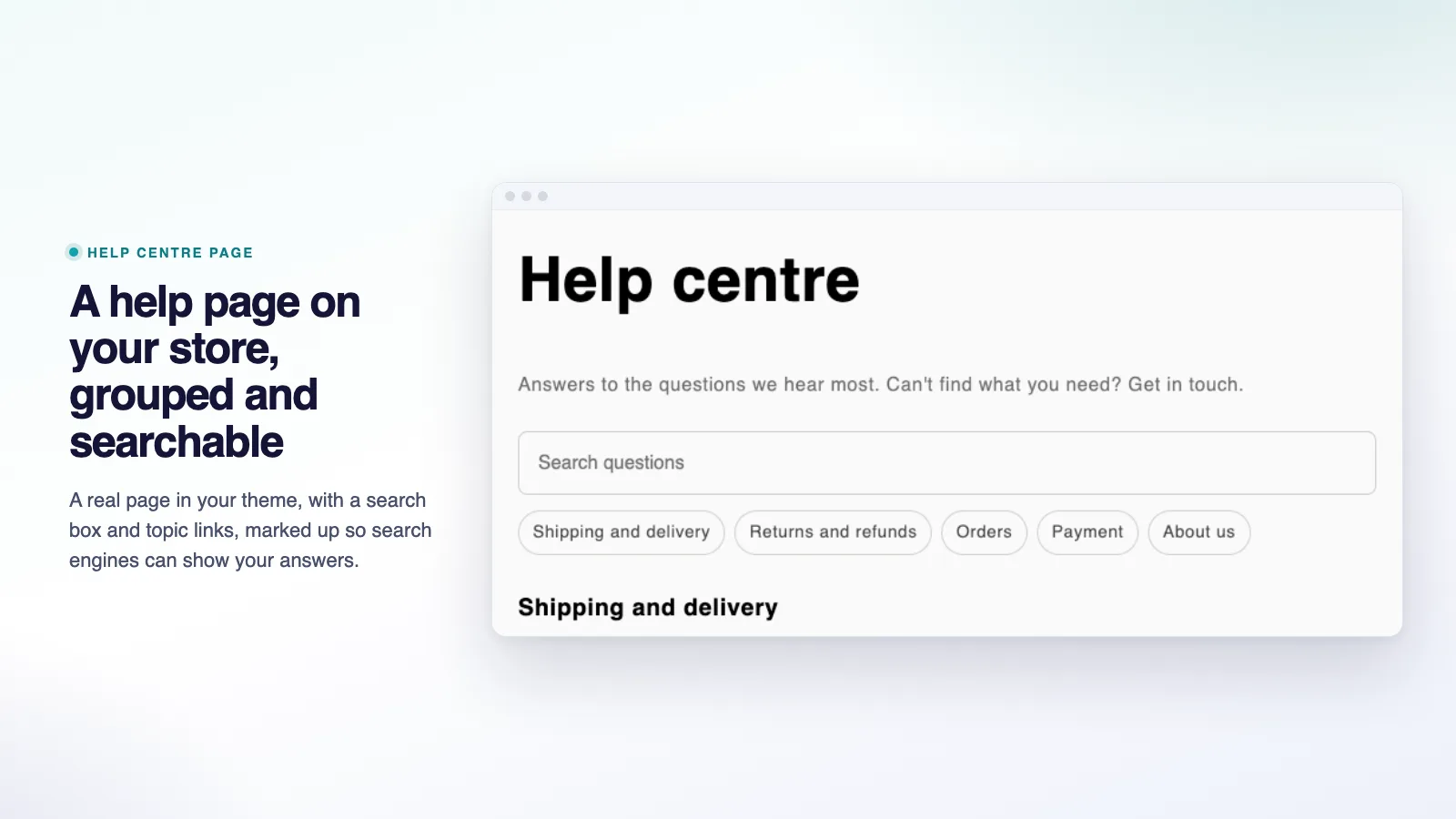
01Help centre
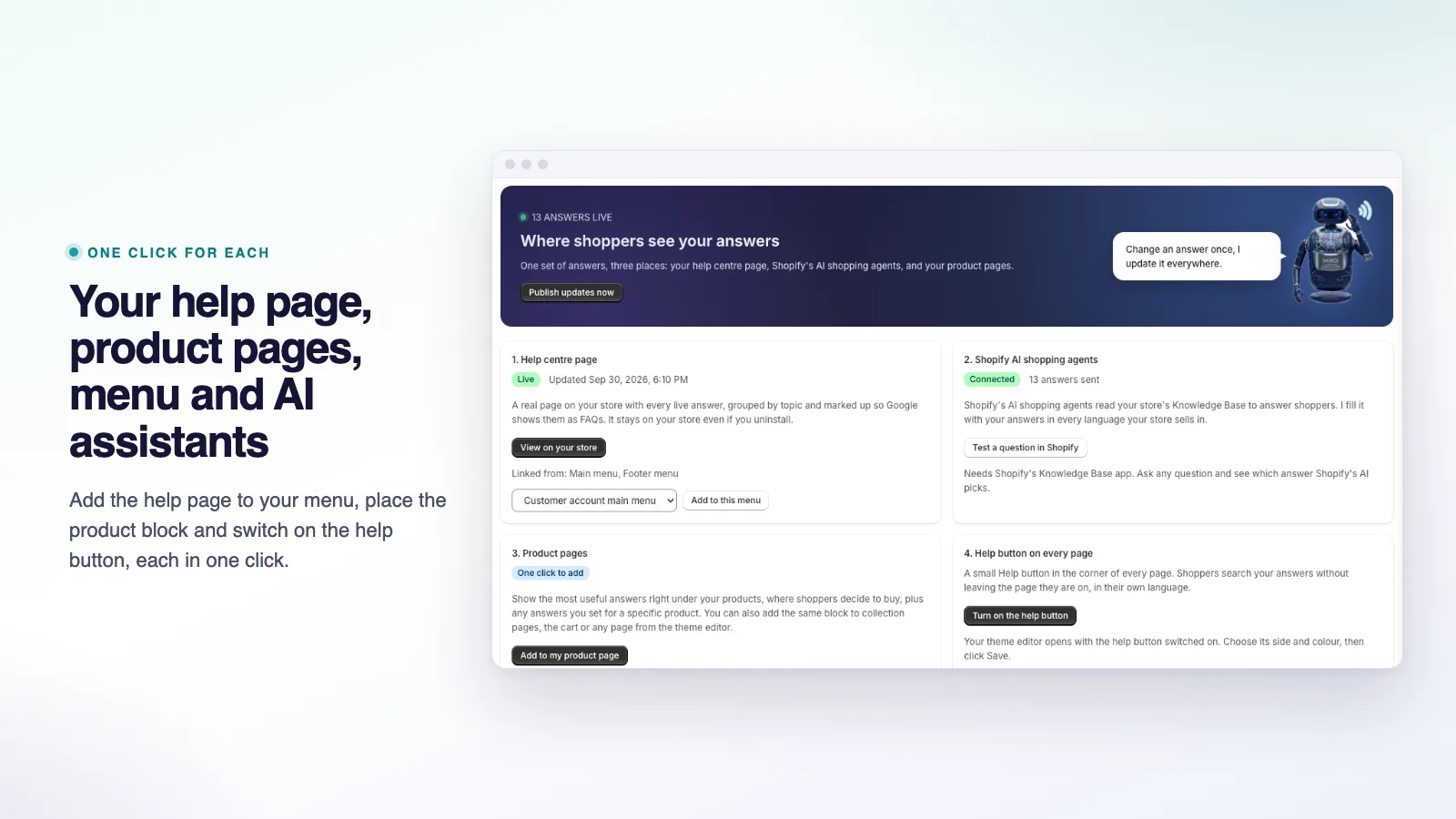
Miko writes and organises a full help centre page from your shipping, policies, pickup and markets, styled to match your storefront.
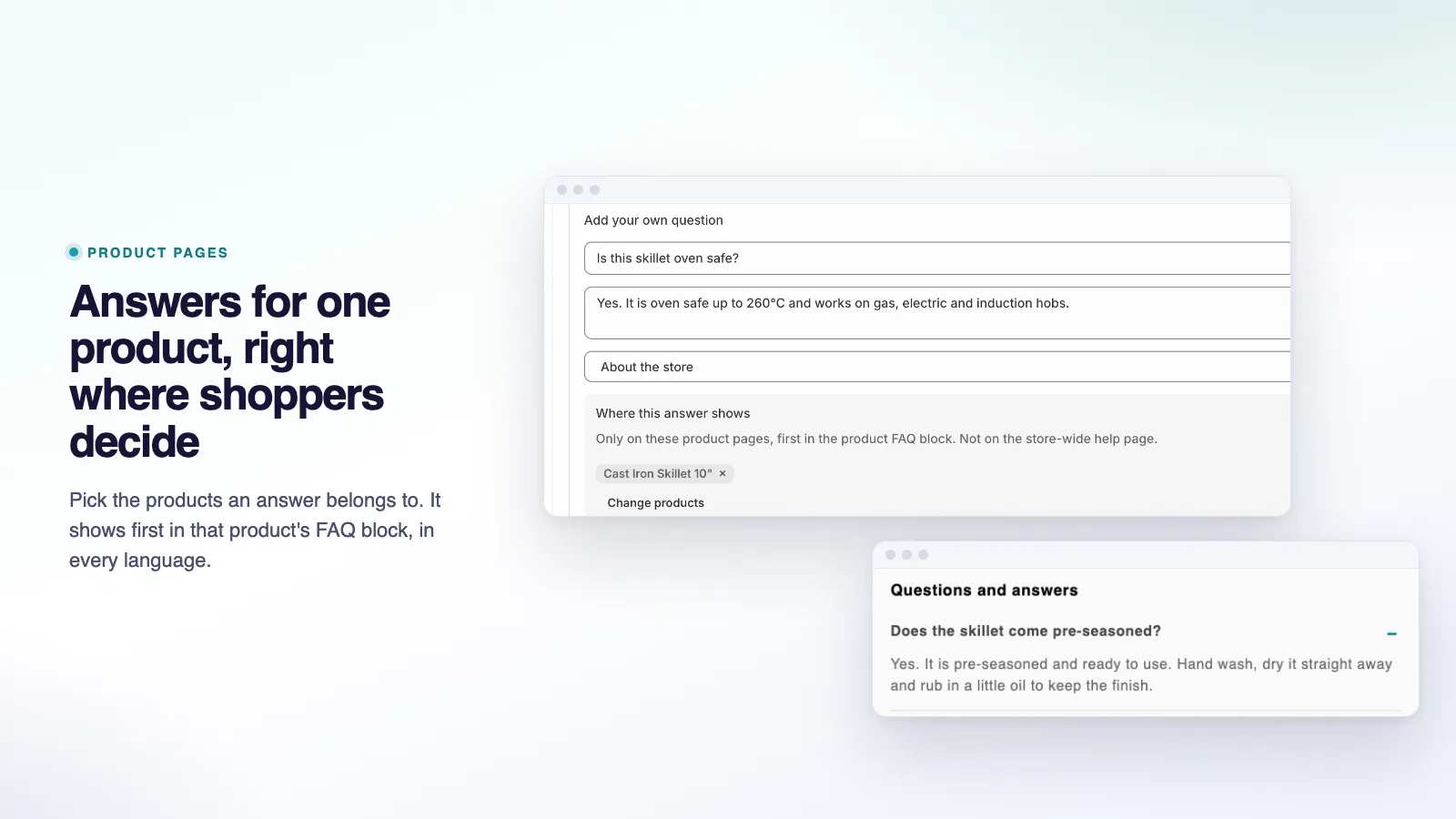
02Product pages
The questions shoppers actually ask about a specific product, answered inline on the product page, from the same verified store facts.
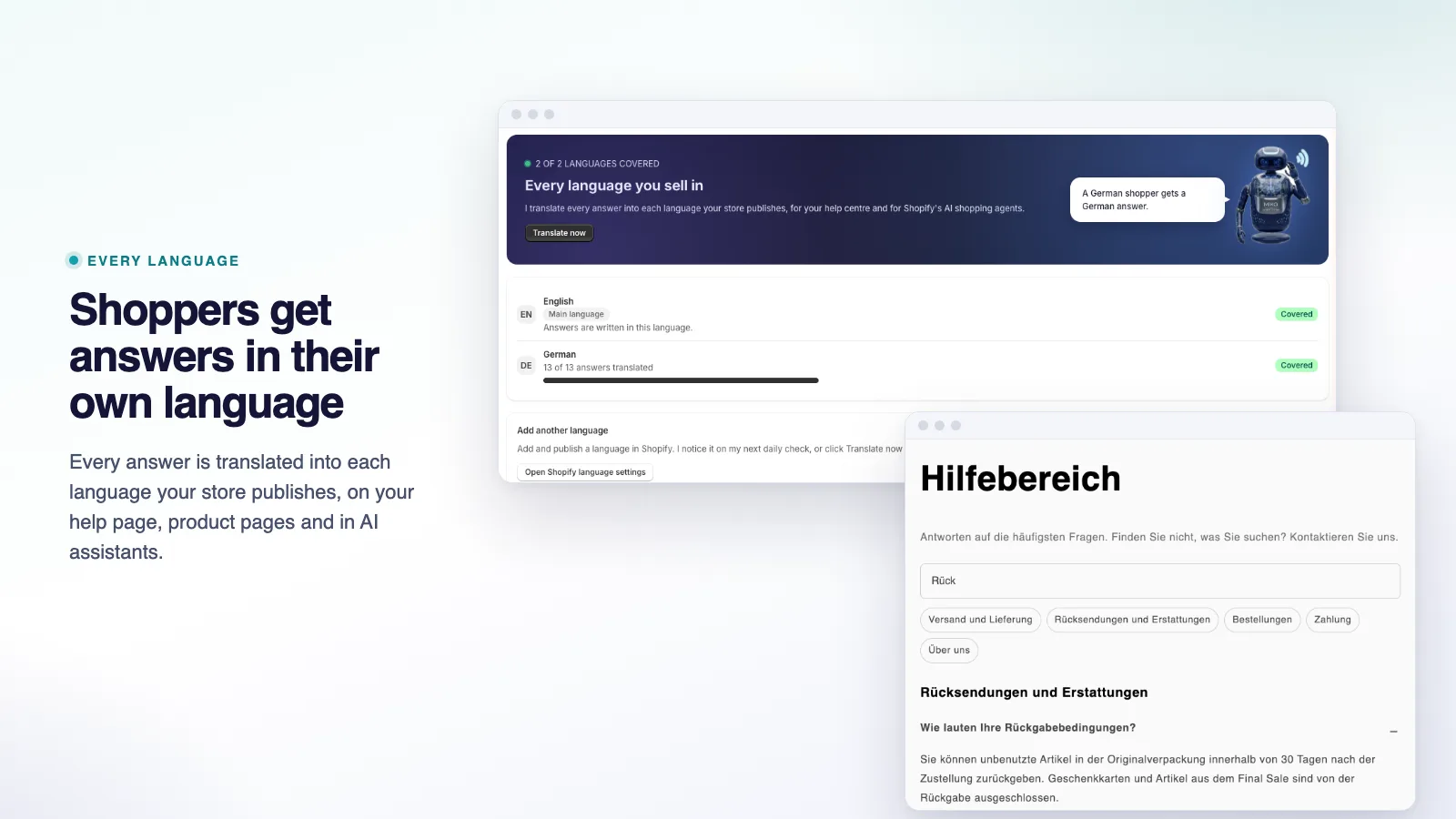
03Languages
Translate the full set of answers into each storefront language your store publishes, so shoppers get the same verified facts in their own language.
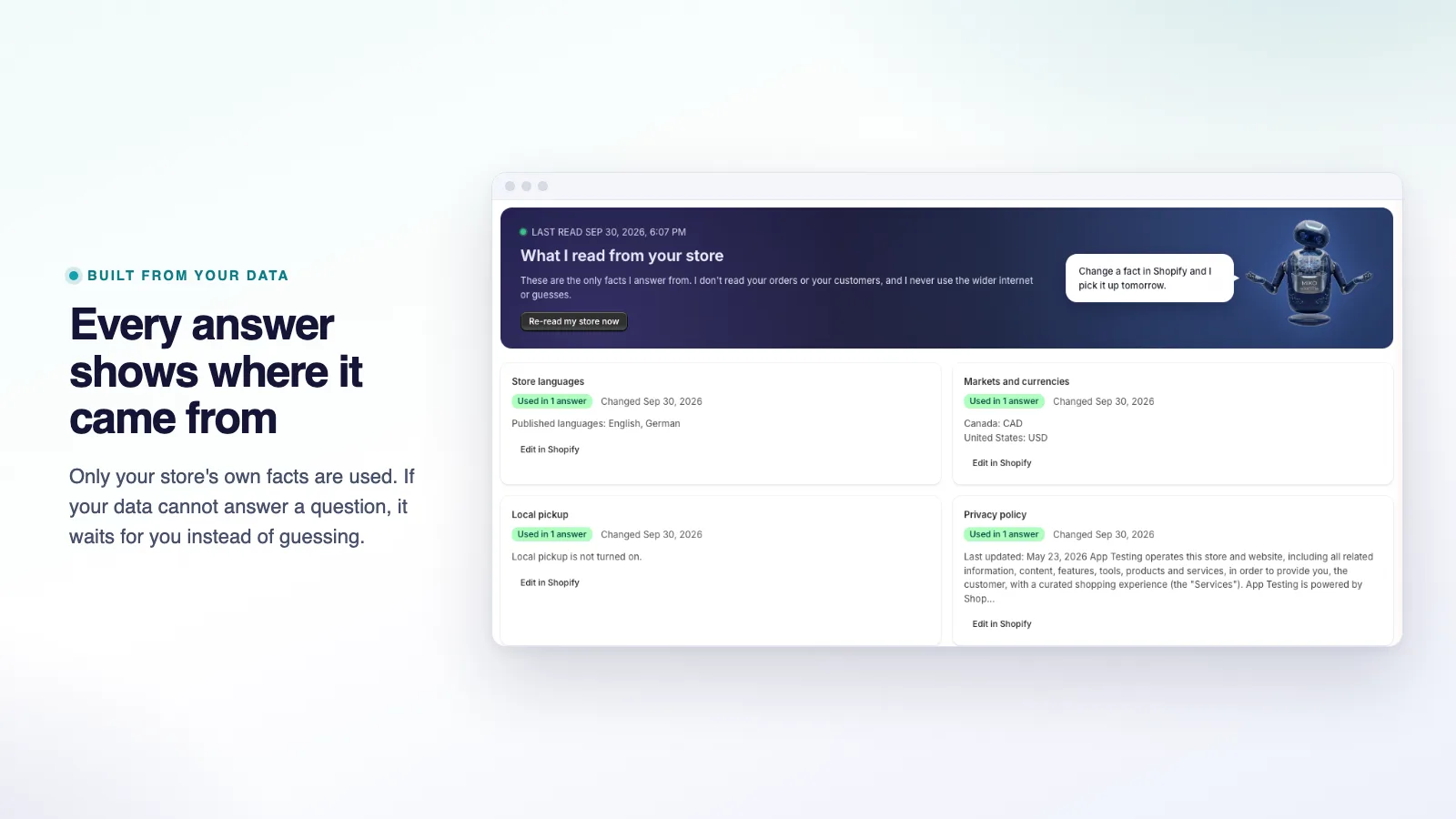
04Sources
Nothing is generic AI filler. Each answer is traceable back to the exact shipping zone, policy or setting it came from, so you can check it before it ever reaches a shopper.
05Go live
You approve every answer before it goes live, and again whenever the underlying store fact changes.
06Help button
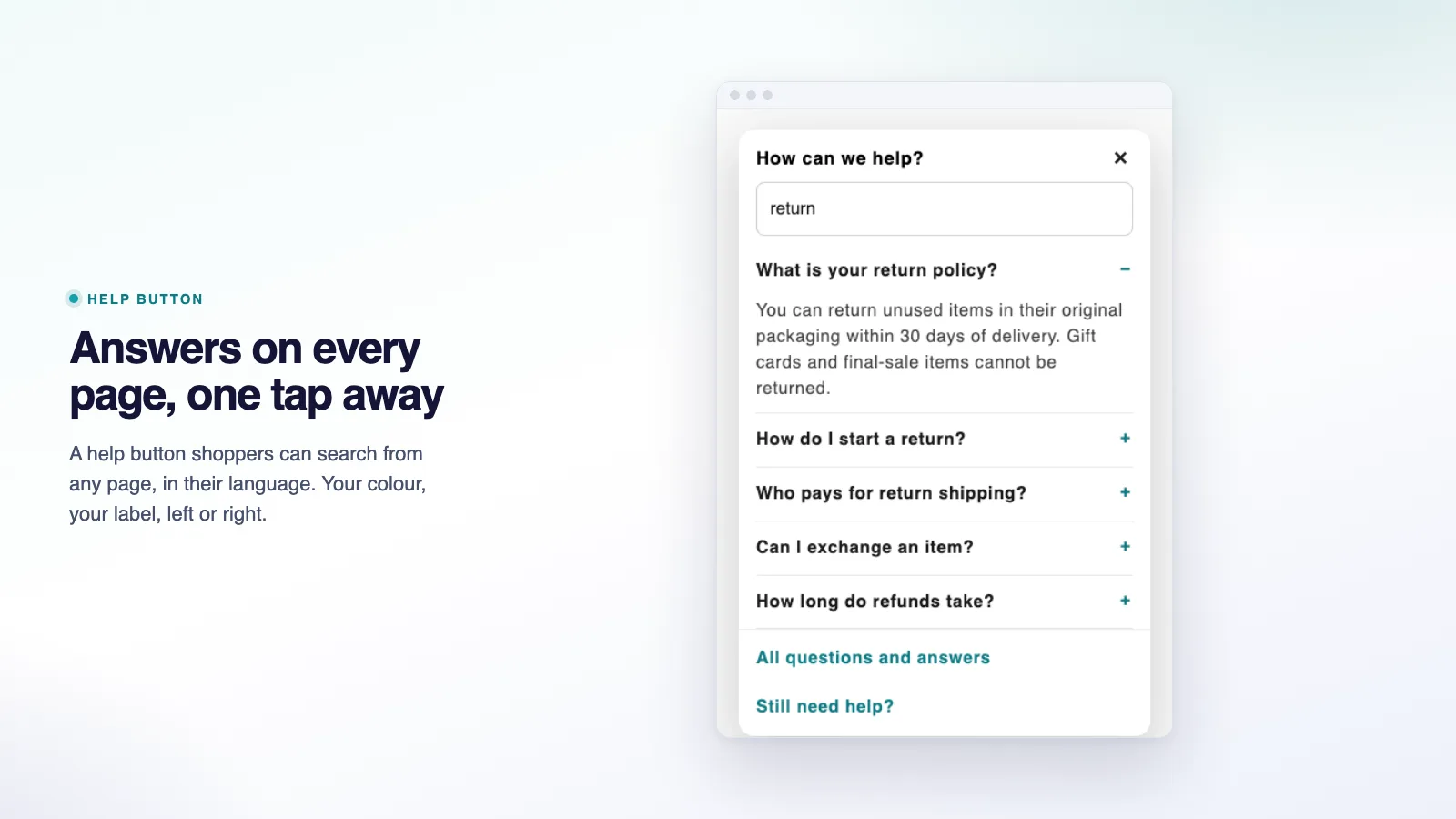
A storefront help button surfaces the right answer without a shopper leaving the page or opening a support ticket.
See it in action
A guided walkthrough of reading store data, writing answers, and publishing to the help centre page and the Shopify Knowledge Base.
How it works
There is nothing to write from scratch. Miko reads what your store already has and drafts the answers for you to check.
Miko reads your shipping zones, policies, local pickup settings, markets and any existing FAQ pages.
Draft answers appear with the store fact each one came from, ready for you to approve, edit or skip.
Approved answers go live on a help centre page, your product pages, and the Shopify Knowledge Base, in every language you choose.
Features
A help centre only earns trust if it is accurate. Every part of Miko is built around that.
Publishes directly to the Shopify Knowledge Base, which is what Shopify's own AI shopping assistants read when answering a shopper's question about your store.
The moment a shipping zone, policy or setting behind an answer changes, that answer is flagged for your review before it is trusted again.
Seasonal questions, such as holiday shipping cut-offs and sale terms, included on every plan including Free.
Product-specific questions answered inline on the product page itself, not just on a separate help centre page.
English, German, Spanish, French, Italian, Japanese, Chinese (Simplified) and Arabic, kept in sync when a source answer changes.
A question your store data cannot answer is left for you to write, instead of being filled with generic AI filler.
Technical Edge
Miko AI Help Center & FAQ reads the configuration Shopify already holds for your store, and every publish step is reviewed before it goes live.
Checked against the live App Store listing, October 2026
Pricing
Every plan writes answers only from your real store facts. Paid plans lift the answer cap and add languages.
$0/mo
Up to 25 answers
$9.99/mo
Up to 100 answers · 14-day free trial
$19.99/mo
Up to 500 answers · 14-day free trial
$39.99/mo
Up to 2,000 answers · 14-day free trial
Built For
Miko AI Help Center & FAQ turns repeated support questions into a page that answers them first, from facts you already have.
FAQ
Where answers come from, where they publish, and billing, answered plainly.
Yes. Miko AI Help Center & FAQ launched on October 5, 2026 and is live at apps.shopify.com/miko-ai-help-center-faq with a free plan available.
From your own store: shipping zones, policies, local pickup settings, markets and any FAQ pages you already have. Every answer shows the store facts it came from, and a question your data cannot answer is left for you rather than guessed.
To a help centre page in your theme's style, to FAQs on your product pages, and to the Shopify Knowledge Base, which is what Shopify's own AI shopping assistants read when they answer questions about your store.
Answers are flagged as out of date the moment the facts behind them change, such as a shipping zone or a policy, and you approve the update before it publishes. Nothing goes stale quietly.
Up to 25 answers, the help centre page, Knowledge Base sync, holiday and BFCM answers, and out-of-date answer alerts. Paid plans lift the answer cap and add more languages, with a 14-day free trial.
Eight: English, German, Spanish, French, Italian, Japanese, Chinese (Simplified) and Arabic. The Free plan publishes in your store's default language; Starter adds 3 storefront languages and Growth and Pro cover every language your store sells in.
Yes. Publishing to the Shopify Knowledge Base is what lets Shopify Sidekick and other AI shopping assistants answer shopper questions about your store using your real facts, rather than a generic guess.
Miko reads store configuration such as shipping, policies and markets to write answers; it does not need customer personal data to do its job. Data is encrypted in transit and at rest, and shop data is removed after you uninstall, when Shopify sends its shop data removal request 48 hours later.
Through Shopify's native billing, so charges appear on your Shopify invoice alongside your other apps. Cancel any time by uninstalling or from within the app; paid plans include a 14-day free trial.
Miko Apps
Free plan up to 25 answers. Paid plans include a 14-day free trial.
The Miko Suite
Every Miko app is built to compound with the others: one customer brain, one checkout, one support team.
 Miko Loyalty & RewardsPoints, VIP tiers and referrals that bring shoppers back.→
 Miko B2B Wholesale PricingWholesale prices by customer tag, NET terms and POs.→
 Miko Claude AIChurn prediction, RFM segments and AI win-backs.→
 AI Descriptions & NarrateBulk SEO copy in your voice, plus a Listen button.→
 Miko Product RentalsDate pickers, deposits and overbooking protection.→
 Miko Subscribe & SaveSubscriptions and subscribe & save with a self-serve portal.→
 Miko Restock: Inventory & POKnow what to reorder, how much and when.→
 Miko Bulk Image ResizerResize, compress and watermark every product photo.→
 Authentica: COA CertificatesQR-verified Certificate of Authenticity for every order.→
 Live Odoo ConnectorReal-time two-way Shopify to Odoo ERP sync. Custom install.→
Not on Shopify yet?
Set up your store in minutes and try it with your own products. Loyalty, wholesale pricing, AI descriptions and the rest of the Miko apps install in one click once your store is live.